


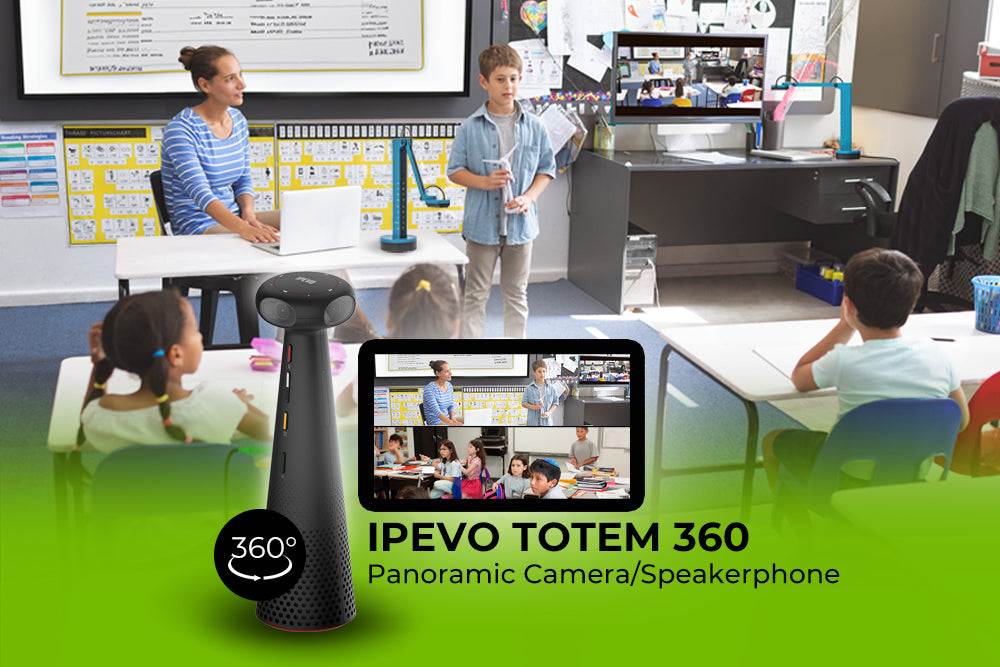


Description

Four Beamforming Microphones
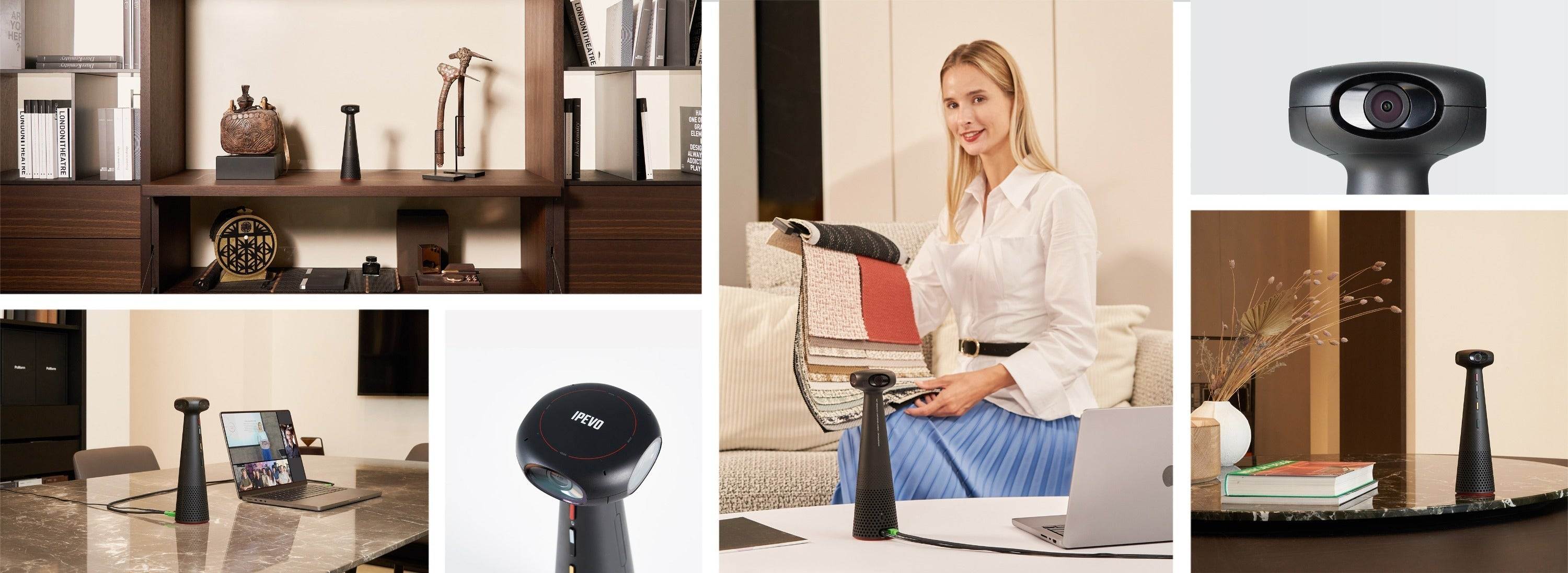
The microphones pick up sound from all directions and thanks to the beamforming technology are capable of determining the direction of the sound. This is used to track the active speakers.

360° Sound Diffusion Speaker
TOTEM's speaker spans all around its base and delivers sound in all directions evenly.

AI Tracking and Framing
The onboard AI of TOTEM 360 tracks the presenter or meeting participants, keeping what matters the most in the focus of the shot.
AI Noise Reduction
Filters out the background noise in your conference room, allowing undisturbed communication with nobody left out.
Immersive Video Modes for Every Scenario
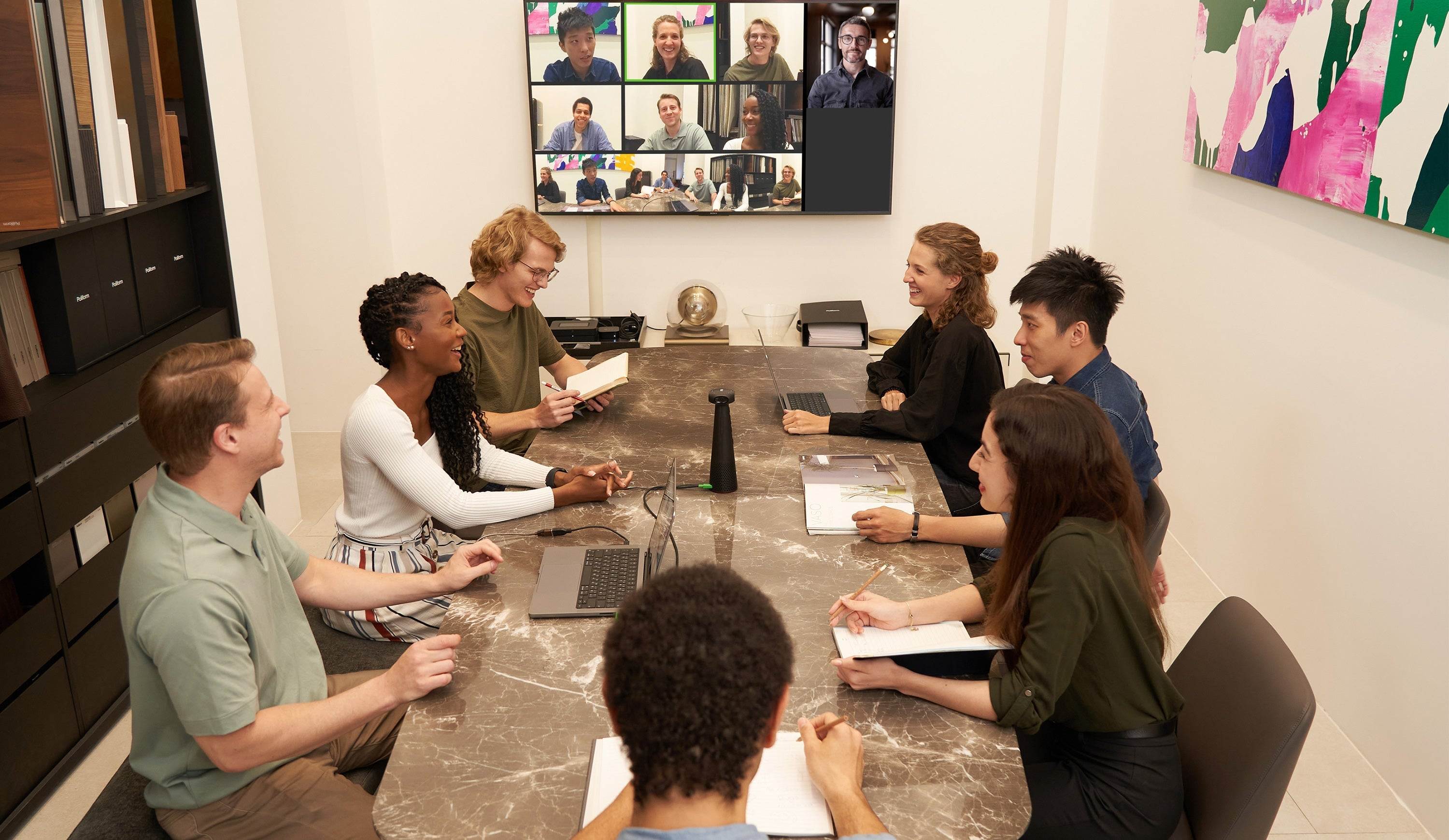
Conferencing Mode: A 360° view of the meeting room table, with up to 6 speakers highlighted in individual close-ups.

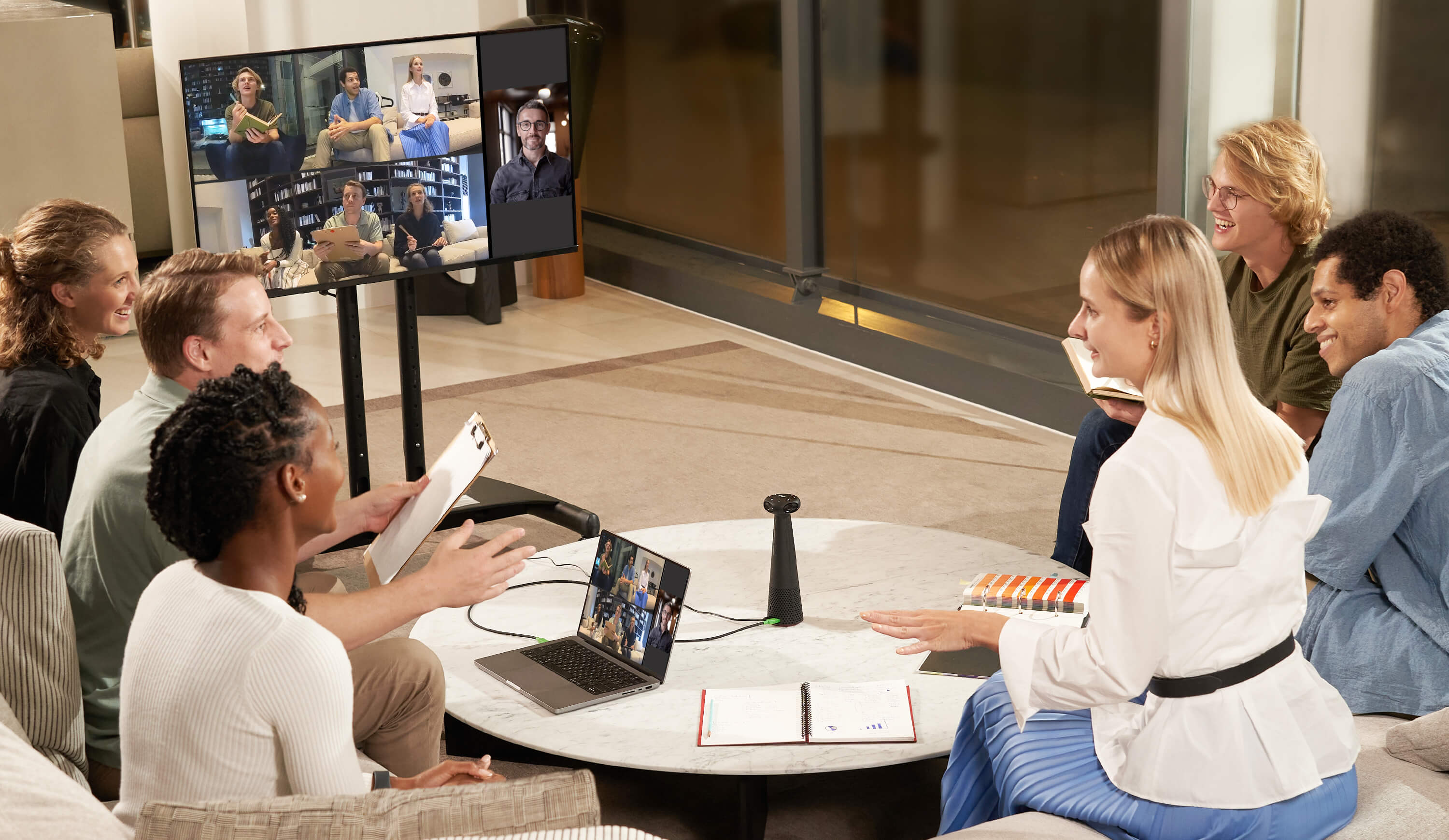
Surround Mode: In this mode, the 360° view is divided into two horizontal screens, providing a clear view of everyone at the table.

Hybrid Learning Mode: Displays the lecturer and the class at the same time, with the lecturer tracked by the AI.

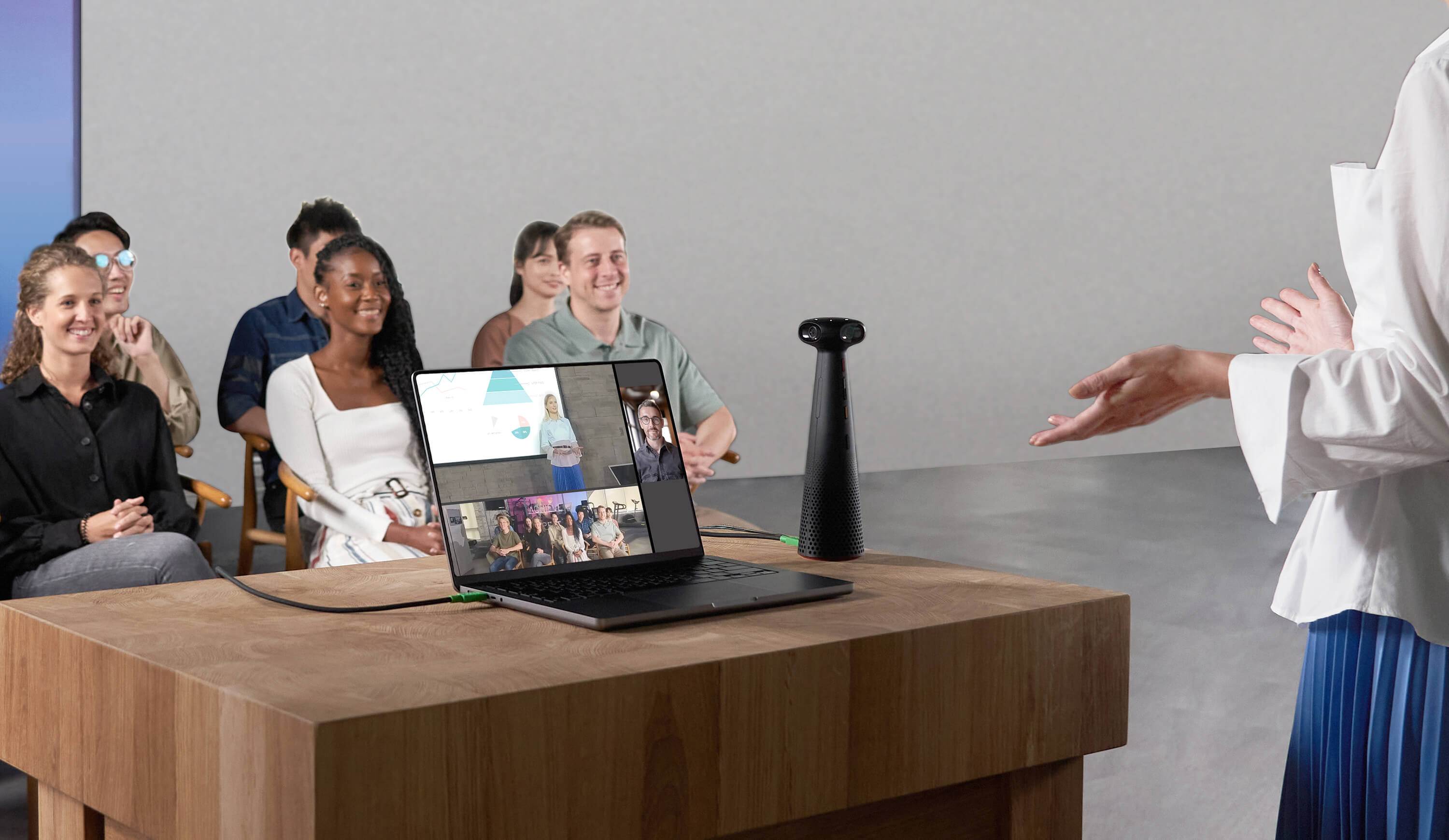
Presentation Mode: A directional video mode for presentations, which uses AI to track up to two presenters.


Works with Everything, Instantly
Plug and play compatible with Zoom, Google Meet, Microsoft Teams, OBS studio, and more on Windows, Mac, and Chromebook.
Your Ultimate Education Partner
IPEVO's TOTEM 360 and VOCAL HUB revolutionize modern schools by seamlessly integrating wireless microphone capabilities and immersive 360-degree video capture. Transforming empty classrooms into hybrid conferencing-ready spaces, these solutions effortlessly elevate your educational setting.
These solutions cater to a variety of needs:
- Facilitating blended or recorded classroom instruction.
- Self-observation, teachers and students can record themselves and review their presentation.
- Streamlining faculty meetings for seamless curriculum discussions, assessments, and academic deliberations, allowing for efficient hybrid participation.
- Enhancing PTA meetings with flexible virtual option for parents.
- Optimizing board meetings with cutting-edge audio-visual capabilities.
- Enabling the broadcasting of E-Sport events, allowing students to participate remotely and engage as if physically present.

Specifications

-
Size ( L x W x H ): 2.8″ x 2.8″ x 10″
- Weight: 1.27 lbs.
- Model: CDCU-01IP
- Color: Black
-
Camera:
- Resolution: MJPG
- Panoramic 5k: 4992 x 928 @ 30FPS
- Full HD: 1920 x 1080 @ 30FPS
- 1280 x 720 @ 30FPS
- YUY2
- 640 x 360 @ 30FPS
- Lens type: Fixed focus
- Zoom: 2.5X digital zoom
- FOV: ( HFOV: 360° , VFOV: 60° )
- Resolution: MJPG
-
Microphone
- Microphone type: 4 x Omni-directional microphone
- Sound pick-up distance: 16.40 ft / 5 m, Range: 360°, S/N Ratio 64 dB ( A )
- Microphone type: 4 x Omni-directional microphone
- Speaker: Peak out power 6 W, root mean square 5 W
- Physical Control Buttons: Power button, Video Mode button, Speaker Volume button, Mic mute / unmute.
-
Compatibility and Output Connectivity:
- Mac, Windows PC, or Chromebooks with a USB Type-C port
- USB 2.0 Type
- The IPEVO camera is recognized by the IPEVO Visualizer app on iPadOS 17 and later with a USB-C iPad. It can also be detected by apps like FaceTime, Teams, and Zoom that support external cameras. If the app doesn't support external camera detection, the camera may not be recognized.
- Mac, Windows PC, or Chromebooks with a USB Type-C port
-
Power consumption:
- Power input: DC 12V / 2.0 A ( DC plug )
- Power consumption: 12V / 0.8A
- Power input: DC 12V / 2.0 A ( DC plug )
-
Operating Temperature Humidity:
- Operating temperature: 5°C to 35°C
- Storage temperature: -10°C to 50°C
- Operating & Storage Humidity: 10% to 95%
- Operating temperature: 5°C to 35°C
-
Package Contents:
- IPEVO TOTEM 360
- USB Type-C cable (5.9 ft / 1.8 m)
- AC adapter (4.92 ft / 1.5m)
- IPEVO TOTEM 360
- Warranty: 2 years from the date of purchase. For more warranty information, please click here.
System Requirements
-
- Mac: MacOS X ( 10.9 and above )
- Windows: Windows ( 7 and above )
- Chromebooks: Chrome OS
- Mac: MacOS X ( 10.9 and above )
Sustainability
Treatment Efficiency: IPEVO TOTEM 360 complies with the Waste Electrical and Electronic Equipment ( WEEE ) Directive, and is manufactured, sold and disposed of in a safe and environmentally friendly manner.
-
- 85.5% Recycling
- 93.5 Recovery
-
Environmental Compliance:
- WEEE
- RoHS
- Recyclable
- WEEE
- WEEE and RoHS Compliance Statement:
Downloads:
- Quick Start Guide - English
- eFlyer - English
- Federal Communications Commission Supplier's Declaration of Conformity (FCC_SDoC)
- IPEVO Visualizer
- IPEVO CamControl
IPEVO TOTEM 360: Compatible Software Support Page
IPEVO TOTEM 360 FAQ:
Do More with TOTEM 360: Elevate your Presentations & Live Streams to a Next Level with OBS STUDIO and IPEVO
OBS Studio, combined with IPEVO's innovative products, is your ultimate solution. OBS Studio offers powerful and flexible video recording and live streaming capabilities, allowing you to create professional-grade content with ease. When paired with IPEVO’s range of high-quality document cameras, conference cameras, and interactive tools, you can deliver dynamic, engaging presentations that capture your audience’s attention. Whether you're teaching, hosting webinars, or conducting business meetings, the seamless integration of OBS Studio and IPEVO products ensures you can showcase your content with unparalleled clarity and creativity. Transform your presentations today and experience the difference!

- Download OBS Studio: OBS Studio is a free and open-source software for video recording and live streaming. It is available on Windows, Mac, and Linux. Download OBS Studio here.
-
Connect Your IPEVO Products: Connect your IPEVO product via USB port. Some IPEVO products can also be connected via wireless.
- Add Sources to Your Scenes: For IPEVO products, you can choose the Video Capture Device option and add other options according to your needs.
- Set Up Your Audio: By default, OBS Studio is set to capture your desktop audio and microphone. You can verify this by looking at the volume meters in the Audio Mixer at the bottom of the main OBS Studio window. If they aren't moving, or you suspect the wrong device is being captured, click on Settings → Audio and select the devices manually.
- Test It Out!: With OBS Studio, you have the flexibility to either livestream or record your content. Choose the option that best suits your needs and start creating with ease! Double-check that all your settings are how you want them in Settings → Output. Then, click Start Recording or Start Streaming on the Controls Dock. We strongly encourage running a test for a few minutes to ensure that there are no issues, rather than just jumping into your first stream or recording.


TOTEM 360 can be applied in countless scenarios, such as:
-
Virtual Assistance: Serves as a remote assistant for teachers to observe and assist in classrooms from anywhere.
-
Comprehensive Training: Offers in-classroom experience and interaction for teachers, both new and experienced.
-
Teaching Evaluations: By using 360-degree teaching videos, schools can conduct comprehensive and objective teaching evaluations, assessing instructors' skills, content, and real-time audience interactions.
- Professional Development: Supports professional growth by allowing educators to review their teaching methods and collaborate with peers. Aspiring teachers can learn from experienced educators.
Easy Setup
Plug-and-play, easy to set up and use. It enables collaboration and participation in activities across remote locations. Just connect the TOTEM 180 to a PC, laptop, or Macbook and you are all set to begin working.
If you have any special projects or requests, please reach out to our sales team and we will be more than happy to help out. Contact us at salesus@ipevo.com
Find a flexible plan that fits your business
Advanced: Designed for professionals and individuals – perfect for face-to-face and online meeting transcriptions, meeting notes, and translations. See Subscriptions at bottom of page.
- Unlimited Use *1
- Domain-Specific Terminology Recognition
- Number of Languages Recognized Simultaneously: 1
- High-Quality Recording
- System Audio (Zoom, Teams)
Professional: Designed for businesses and organizations – ideal for international conferences, multilingual educational institutions, companies, and online meetings.
- Unlimited Use *1
- Bidirectional Translation
- Floating Subtitles
- Domain-Specific Terminology Recognition (Glossary Term / Dictionary Term / Fuzzy
- Word Correction Term)
- Number of Languages Recognized Simultaneously: 4
- High-Quality Recording
- System Audio (Zoom, Teams)
- Intelligent Assistant (Transcript Q&A)
Premium: Designed for specialized industries, offering solutions for captioning, interpretation, and specific needs.
- Unlimited Use *1
- AI Real-time Interpretation
- Speaker Diarization
- Bidirectional Translation
- Floating Subtitles
- Domain-Specific Terminology Recognition (Glossary Term / Dictionary Term / Fuzzy
- Word Correction Term)
- Number of Languages Recognized Simultaneously: 4
- High-Quality Recording
- System Audio (Zoom, Teams)
- Intelligent Assistant (Transcript Q&A)