


Description
Rivo Tactile Connectivity to Your Smart Phone in Canada.
- While smartphones are essential in modern life, touchscreens pose a significant challenge for individuals who are blind or visually impaired.
- Imagine if people with visual impairments could use their smartphones in the following ways:
- Quickly and conveniently operate their smartphone using tactile physical buttons
Use their smartphone safely and freely, even while it's in a bag or pocket
Seamlessly connect to and switch between multiple smart devices
Now, this innovative user experience is becoming a reality.
Envisioning Accessibility
- Enhanced smart device accessibility provides greater independence and efficiency in daily life for users who are blind or visually impaired.
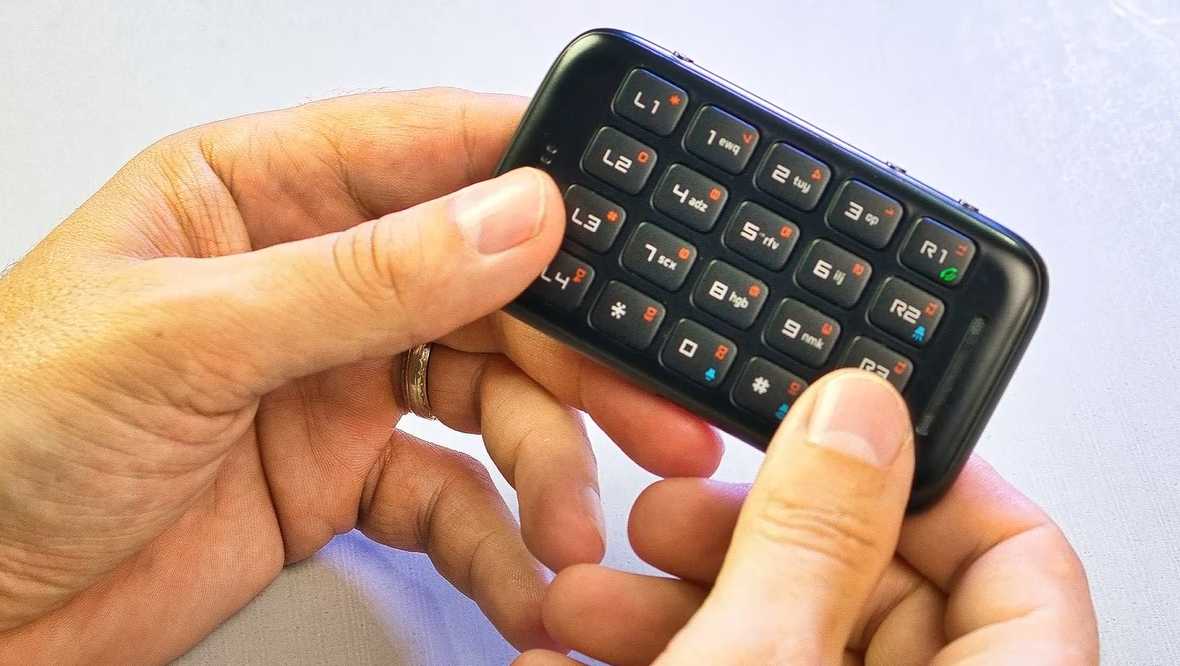
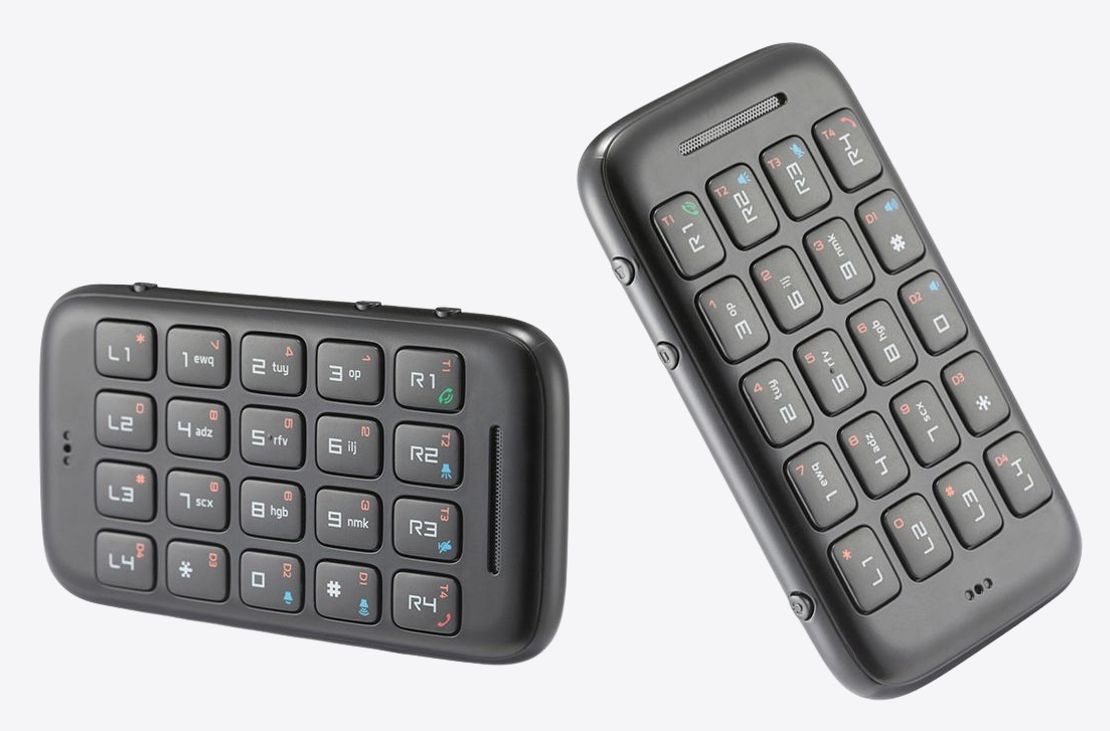
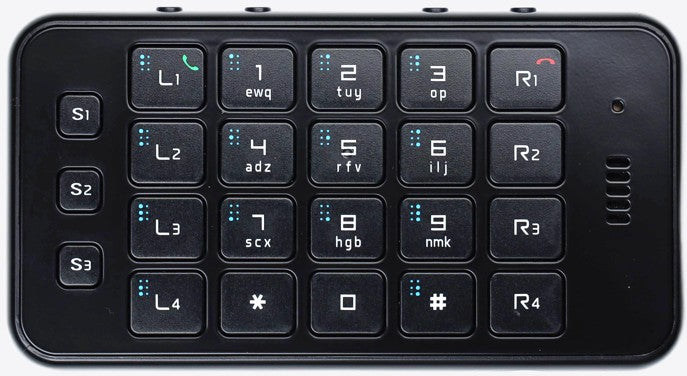
- Rivo2: Rivo2 is an innovative smart keyboard that empowers blind and visually impaired users to navigate the screen, access various apps quickly and accurately, and easily perform tasks such as text input and making phone calls.
- Rivo3: Building on the foundation of Rivo2, Rivo3 offers even more features, including voice memos, call recording, music and audiobook playback, voice and vibration clocks, date, alarms and timers, calculator, braille dictionary, screen magnification, quick app launch, and making phone calls.
Here's what people are saying:
- Rivo is a bridge that connects me and the world.
- The sense of loss from disability often stems from losing independence. Thanks to
- Rivo, my self-esteem has soared.
- Rivo is like a magic wand. My life has upgraded, and I can't imagine living without it!
- It connects me to my smartphone and the world. Rivo truly transforms lives.
- My Rivo is an essential part of my digital life.
- Rivo has become indispensable in my daily routine.
- I love Rivo! It's truly magical with VoiceOver.
- I use Rivo every day. It's a critical tool for my independence.
- I can finally use my smartphone without asking for help.
- Muscle memory with Rivo feels like an amazing superpower!
- Rivo is the best accessory for VoiceOver users.
- Even as a tech-savvy user, Rivo enhances my smartphone experience.
- Rivo helps me learn braille and is a must-have for blind users of all ages.
Rivo2 Smart Keyboard for the Smartphone
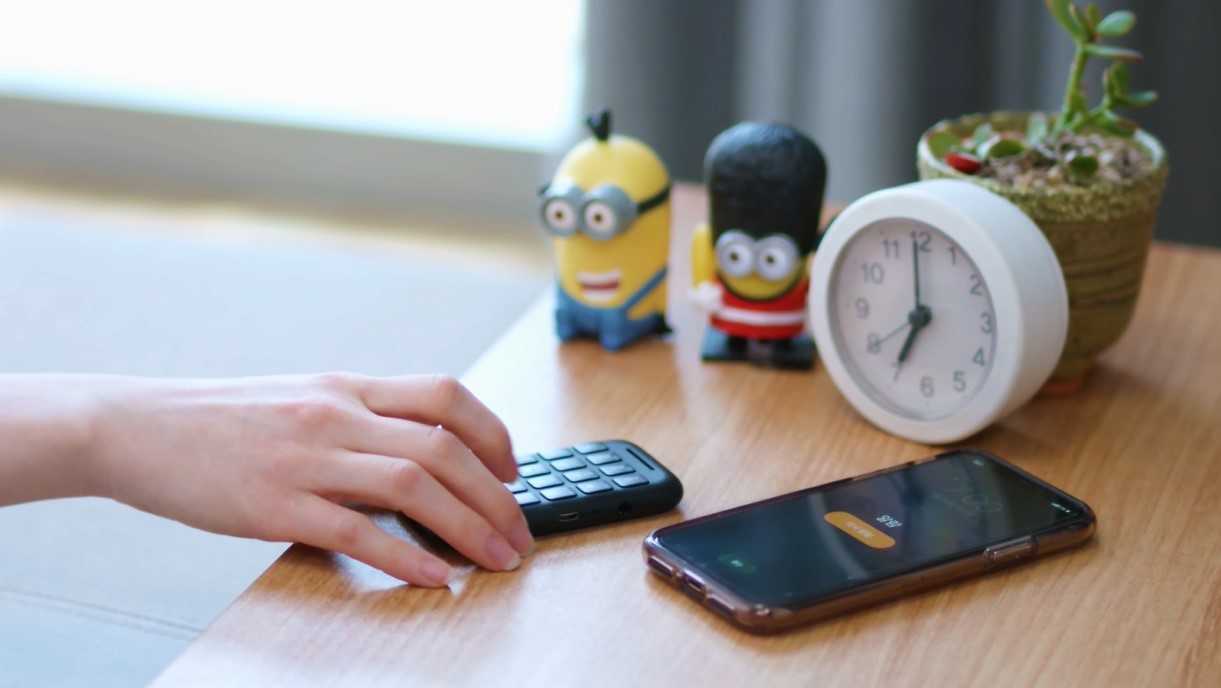
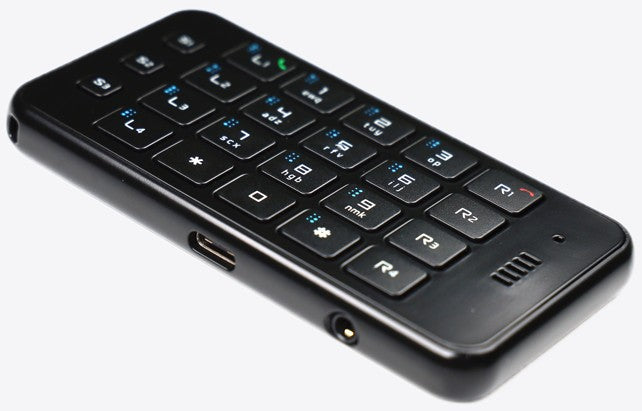
Rivo2 is a compact smart interface designed for people with visual impairments. It offers optimized accessibility and outstanding usability for mobile environments, allowing users to operate their smartphones freely and conveniently through intuitive button controls. Much like a remote control, but far more convenient, it enables fast and accurate access to a variety of apps, including messaging and calls, simply by wirelessly pressing buttons.
- Easily and intuitively control your smartphone with physical buttons
- Make and receive calls, and access automated phone services
- Enter and edit text messages
- Control media apps, including music, audiobooks, and YouTube

Specifications
-
Dimensions: 94 mm (W) × 52 mm (H) × 12 mm (D)
-
Weight: 55 g
-
Color: Black
-
Number of buttons: 23
- Package Contents: Rivo2 main device, charging cable strap, pouch
Key Features
- Control your smartphone quickly and accurately with Rivo, while listening to voice feedback either on the Rivo or your smartphone, instantly selectable according to your preference.
- Effortlessly enter punctuation and emoticons, and edit text, tasks that are difficult with voice recognition alone.
- Easily make and receive phone calls, dial numbers, use touch-tones, and access automated phone services.
- Conveniently control a variety of media apps, including music, audiobooks, and YouTube.
- Instantly switch between up to six smart devices.
Easy to Carry and Use
- Its credit card-sized design makes it easy to carry anywhere.
- Use your smartphone safely and freely from your pocket, even outdoors.
- Do more independently in daily life, improving your overall quality of life.
- Features are continually added and upgraded through software updates.
- Compatible with iPhone, iPad, Apple Watch, Android smartphones, and tablets.
Rivo3 Smart Convergence for Smart Living
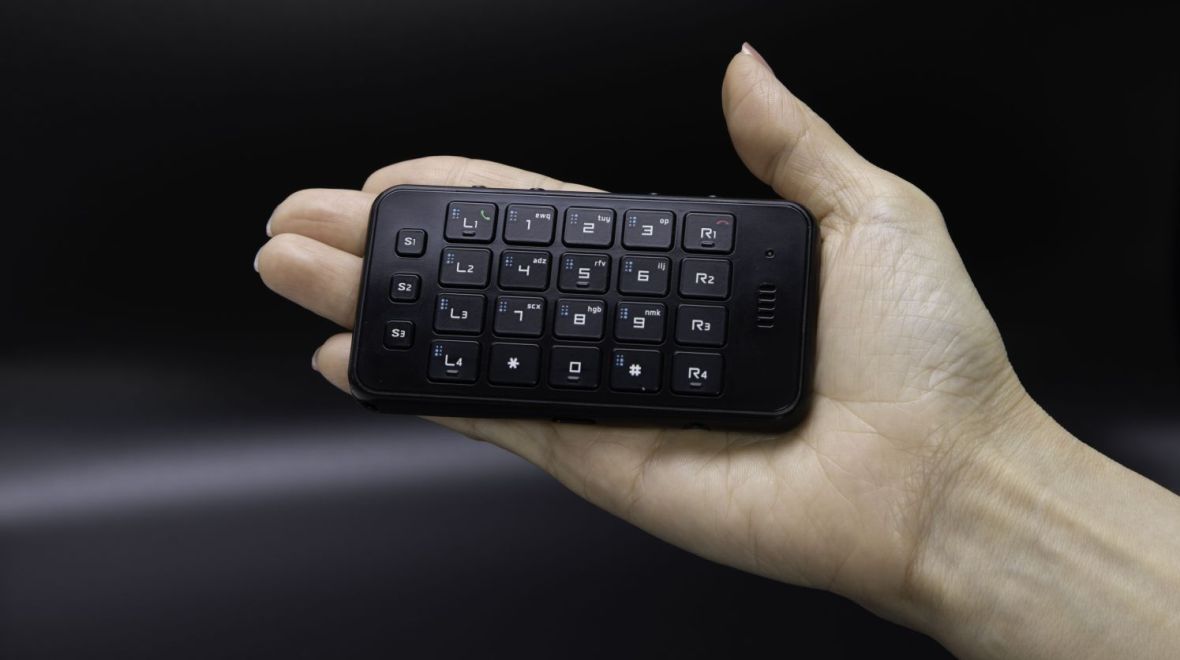
Rivo3 is an ultra-compact all-in-one smart interface designed for people with visual impairments. It offers optimized accessibility and outstanding usability for mobile environments, allowing users to operate their smartphones freely and conveniently through intuitive button controls. Much like a remote control, but far more convenient, it enables fast and accurate access to a variety of apps, including messaging and calls, simply by wirelessly pressing buttons. Additional features such as voice and call recording, voice and vibration time notifications, music and audiobook playback, alarm and timer, calculator, and Braille dictionary make everyday life even smarter and more convenient.
- Smartphone Control Made Easy
- Easily and intuitively control your smartphone with physical buttons
- Make and receive calls, and access automated phone services
- Enter and edit text messages
- Control media apps, including music, audiobooks, and YouTube
- Zoom and scroll the screen
- Speed dial, launch apps, and find your phone
Tools for Everyday Life
- Record voice memos and calls
- Voice and vibration clock, date, alarm and timer
- Calculator, music and audiobook playback, braille dictionary
- Games and educational content
- Rivo3
Specifications
- Dimensions: 98 mm (W) × 52 mm (H) × 9.5 mm (D)
- Weight: 52 g
- Color: Black
- Number of buttons: 27
- Package Contents: Rivo3 main device, charging cable, protective case strap, wired earphones, pouch
Key Features
- Control your smartphone quickly and accurately with Rivo, while listening to voice feedback either on the Rivo or your smartphone, instantly selectable according to your preference.
- Effortlessly enter punctuation and emoticons, and edit text, tasks that are difficult with voice recognition alone.
- Easily make and receive phone calls, dial numbers, use touch-tones, and access automated phone services.
- Conveniently control a variety of media apps, including music, audiobooks, and YouTube.
- Instantly switch between up to nine smart devices.
Additional Features
- Easily record voice memos and calls.
- Use screen zoom and scroll functions.
- Check the current time and date by voice.
- Quietly check the time using vibration alerts.
- Perform basic arithmetic with the voice calculator.
- Quickly set an alarm or timer.
- Freely play stored mp3 music and audiobooks.
- Search and explore the Braille dictionary, and learn Braille.
- Use features like speed dial, app launcher, phone finder, and games.
- Some features will be further enhanced or added through future updates.
Easy to Carry and Use
- Incredibly compact and lightweight, about the size and weight of ten stacked credit cards, making it easy to carry anywhere.
- Use your smartphone safely and freely from your pocket, even outdoors.
- Do more independently in daily life, improving your overall quality of life.
- Features are continually added and upgraded through software updates.
- Compatible with iPhone, iPad, Apple Watch, Apple TV, Android smartphones, and tablets.
Rivo3 Manual
Rivo 3.5.3
A. Basics
B. Home Mode
C. Remote Mode
D. iPhone/iPad VoiceOver
E. More Apple Devices
F. Android TalkBack
Typing with Rivo
Note that Rivo alphabet, ABC alphabet, and Rivo symbols are common to all the languages.
Read also the following sections in the full manual for general details on typing:
C7. Language Synchronization When Typing Text
C8. Typing Text
Language-specific settings for Apple devices
Arabic
Belgian
British English
Bulgarian
Catalan
Czech
Danish
Dutch
Finnish
French
German
Greek
Hebrew
Hungarian
Icelandic
Italian
Japanese
Korean
Norwegian
Polish
Portuguese
Romanian
Russian
Serbian
Spanish
Swedish
Swiss
Turkish
Ukrainian
Rivo3 Software
Download the latest software among the following language versions:
- English: Rivo 3.5.4 (English version)
- Japanese: Rivo 3.5.4 (Japanese version)
- Bulgarian: Rivo 3.5.4 (Bulgarian version)
- Korean: Rivo 3.5.4 (Korean version)