


Description
RAZ Memory Cell Phone*: Groundbreaking cell phone for seniors with dementia, cognitive decline, vision loss, or seniors who prefer an easy-to-use experience in Canada.
Special: Free Screen Protector (for limited time - Already Pre-Selected)*
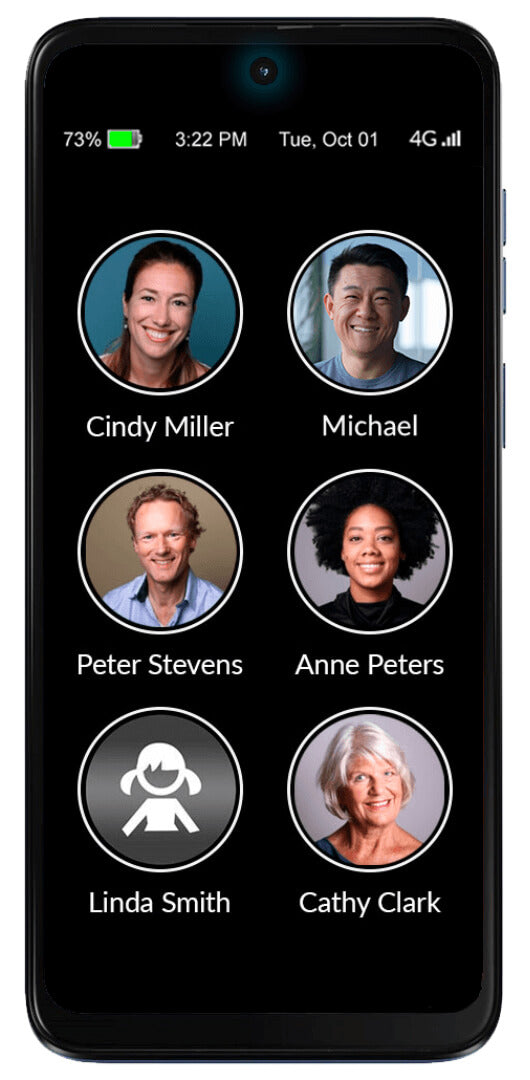
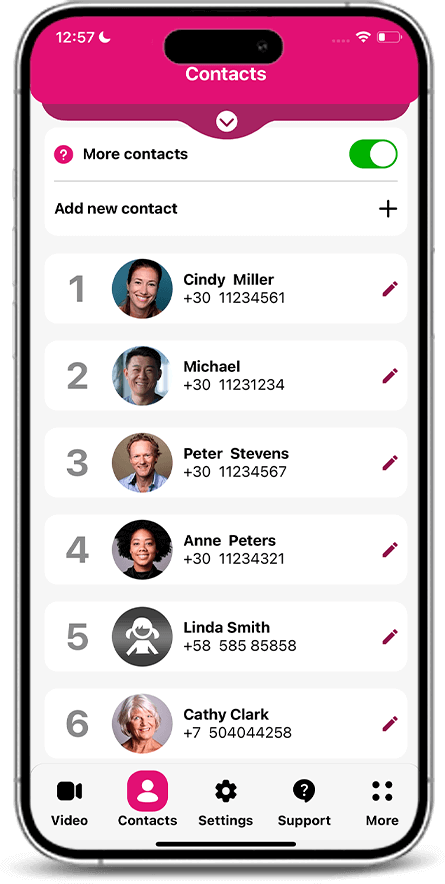
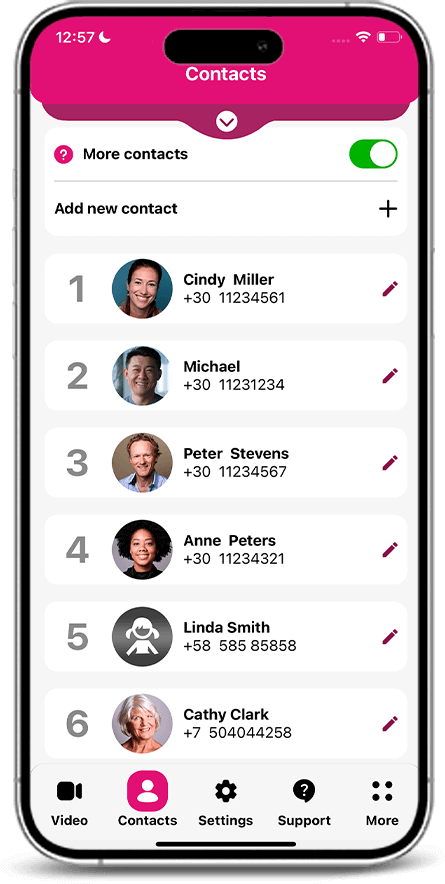
- One simple home screen with photo contacts
- No confusing apps or menus
- Caregiver app for remote management
- Video calling
- Emergency calling options
- Spam and robocall blocking
With everything your senior needs: The phone offers video calls, reminders, wireless charging, big buttons, an extra loud loudspeaker, it helps the senior remember to charge and much, much more! Portrait mode only.
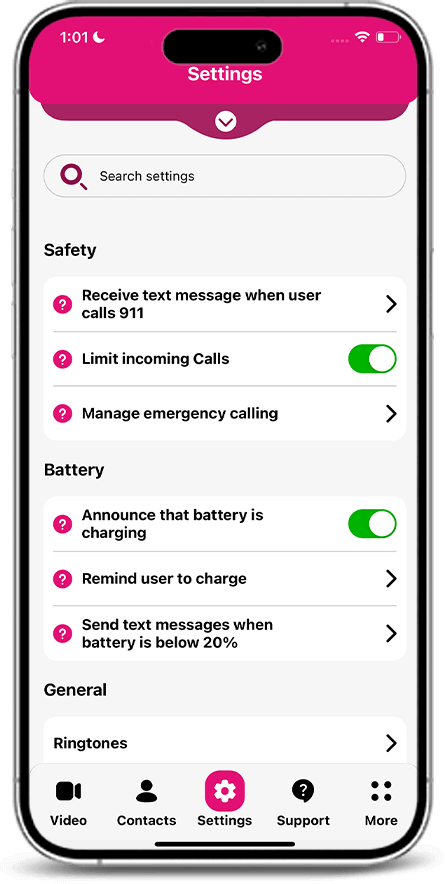
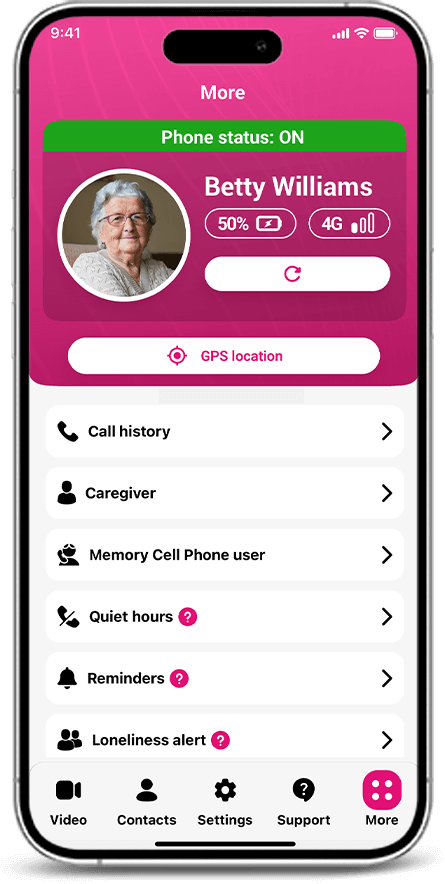
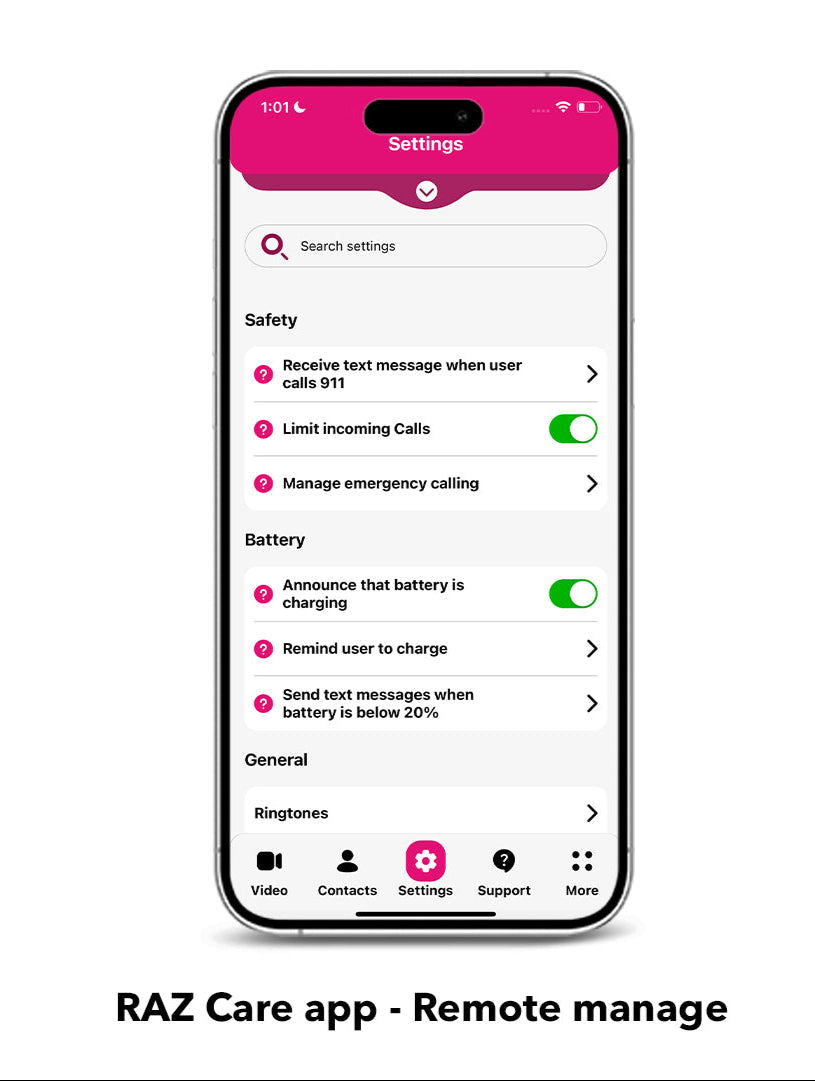
Remote manage by caregivers: Remotely manage contacts, settings and other aspects of your senior's RAZ Memory Cell Phone from your own smartphone, through the RAZ Care caregiver app. Multiple caregivers can manage the RAZ Memory Cell Phone.
Customize the experience based on needs and abilities: Every feature is optional since every senior is different! Give your senior access to the features you believe they can use safely and proficiently.
Canadian 4G VoLTE Providers: Bell, Eastlink, Freedom, Ice Wireless, Qiniq/SSi, Rogers, SaskTel, Tbaytel, Telus, Videotron, Xplornet; Fido, Chatr, Koodo, Public, Virgin, Lucky, Fizz, PC Mobile, etc. Source Wikipedia and Google. Check with your Mobile Carrier.
SIM Card: Nano Sim with Data required.
Brochure: RAZ MEMORY CELL PHONE The World's Most Senior-Friendly Phone!
Key Features:
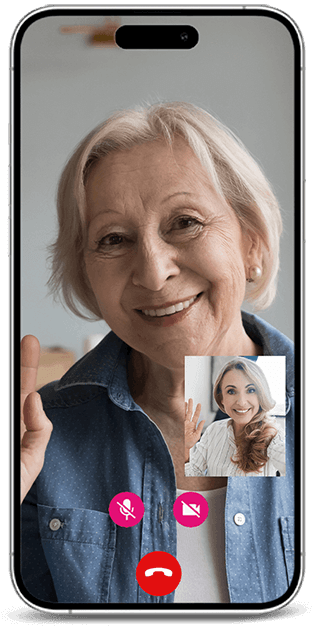
Stay connected with video calls: See your loved on at any time with the RAZ Care App. Only approved contacts can initiate video calls, not the senior.
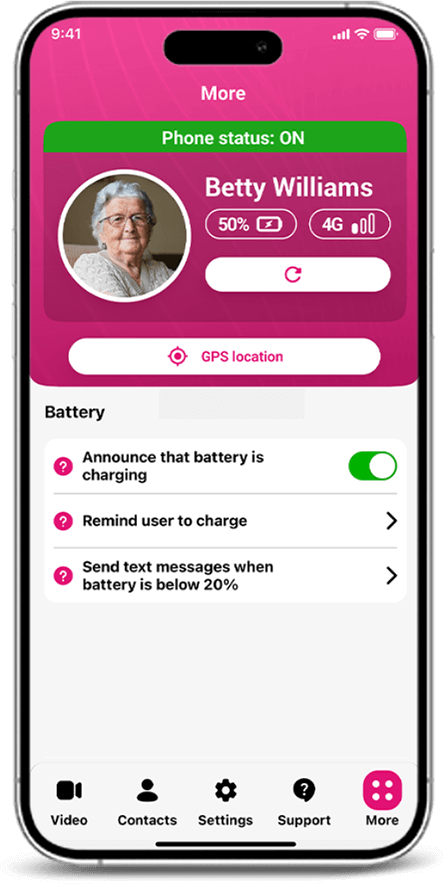
Manager battery charging: A series of features help keep your senior's phone charged.
- The senior can received a reminder to charge when the battery is low.
- The senior can get visual and audible confirmation that the phone is charging.
- The caregiver can receive a text message alert when the battery power is low.
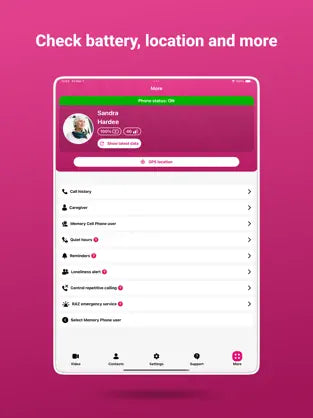
- The caregiver can check the current battery power and charging status at any time.
Block unwanted incoming calls: Eliminate phone scams and robocalls. Limit incoming calls to contacts and approved numbers only. This feature blocks any unwanted calls.
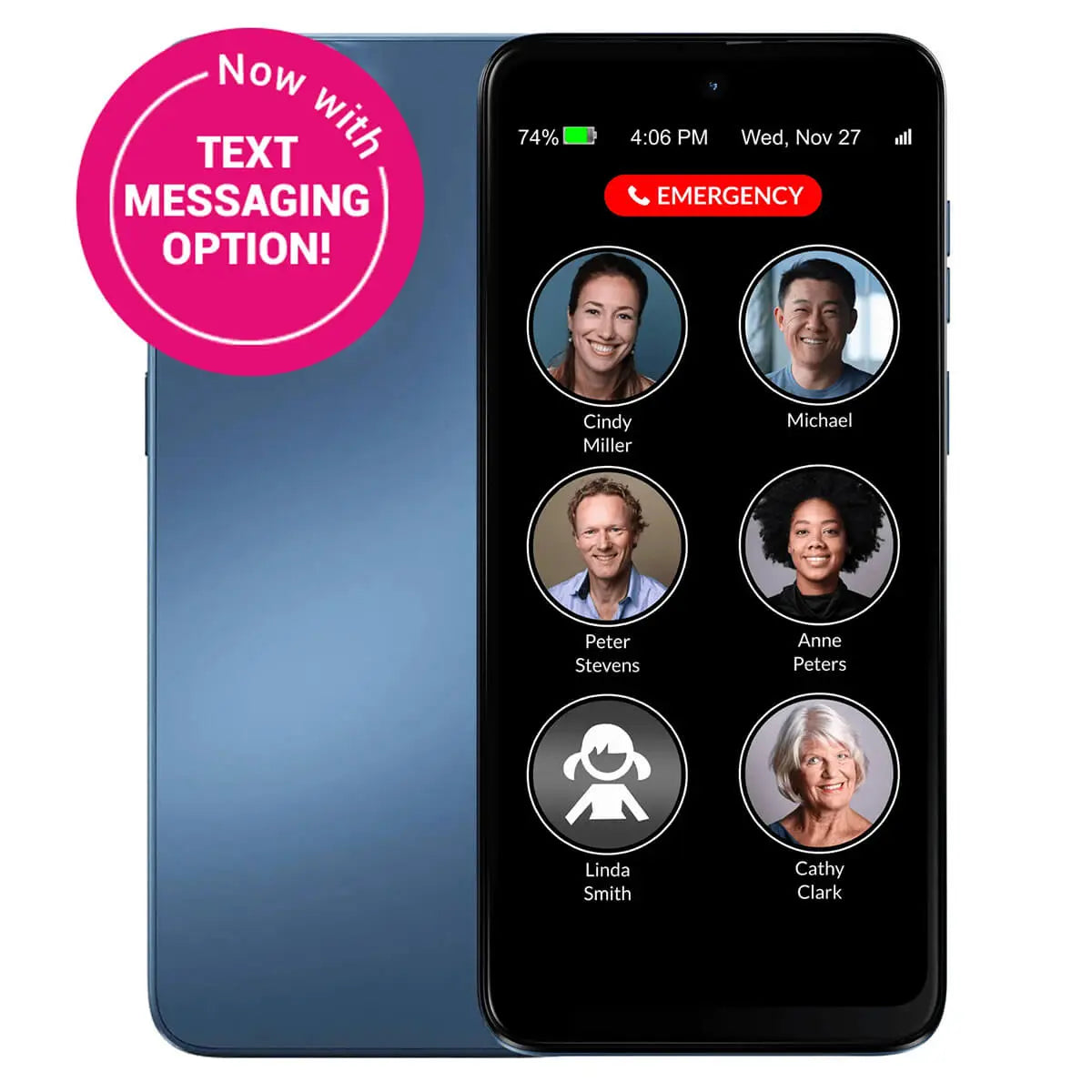
Text Messaging Designed for Seniors: Simplifier experience, super-large letters, big buttons, a speech-to-text option and quick messages. You control texting through the RAZ Care App. Choose the keyboard and text size, decide with whom your seniors can text (contacts only or anyone), and more. Group texts and photo messages not currently available.
Loudspeaker mode and Auto-answer:
- Loudspeaker more: all calls automatically go to the phone's loudspeaker.
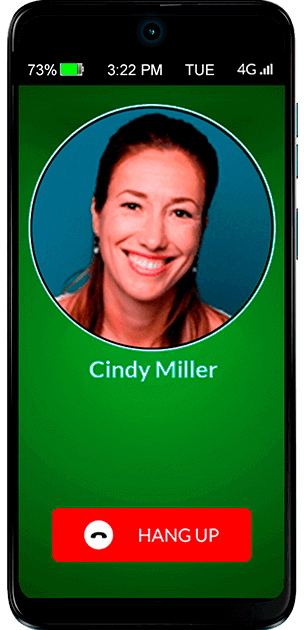
- Auto-answer: the phone can answer automatically after several rings and go to speakerphone, so you can check if your senior needs help.
Set quiet hours and control repetitive calls:
-
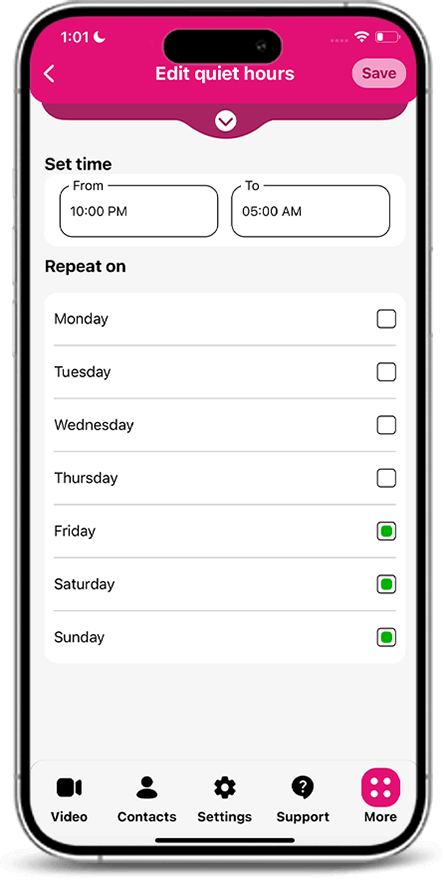
Quiet hours: Set up times of the day when your senior can't call specific contacts.
- Control repetitive calls: set a cap on how many times you senior can call a contact within a specified time period. You can records an audio message that your senior will hear when they call during quiet hours or once the repetitive calls limit is reached. For example, the recording can say that your love them and they should call again in the morning.
Low Vision and Hand Tremor: A special; mode with super-large, high contracts buttons and additional color schemes. You can adjust contact icons and add the status tile, with time and battery level. Ideal for people who experience hand tremors from Parkinson's disease or stroke, or low vison from eye disease.
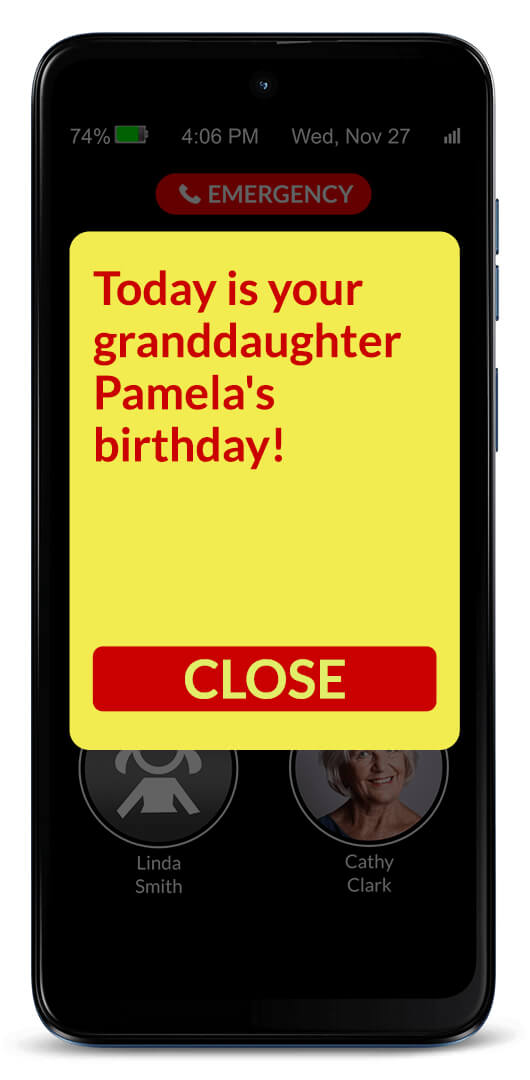
Set reminders for your senior: Choose dates and times to send reminders and create routines for your senior. Reminders can be in the form of text or text and audio recordings. You can customize the colors and font size. Select the date, time, and frequency. Manage their routine or send a simple one-time reminder. In the RAZ Care app, you can see if the reminder was acknowledged.
Press & hold buttons: The caregiver can choose between different press & hold methods to prevent unwanted calls. And we have added an extra layer of safety with the call confirmation screen.
Settings are disabled for the user: ALL the settings including the volume rocker are remotely managed by the caregiver through the RAZ Care app. Caregivers can even disable the power button to avoid the phone to be accidentally turned off. This means peace of mind for the caregiver and safety for the senior.
Loudspeaker mode & Auto-answer: Loudspeaker mode: all calls automatically to to the phone's loudspeaker. Auto-answer: the phone can answer automatically after several rings and go to speakerphone, so you can check if your senior needs help.
Set quiet hours and control repetitive calls:
- Quiet hours: set up times of the day when your senior can't call specific contacts.
- Control repetitive calls: set a cap on how many times your senior can call a contact within a specified time period.
- You can record an audio message that your senior will hear when they call during quiet hours or once the respective call limit is reached. For example, the recording can say that you love them and they should call again in the morning.
Low Vision & Hand Tremor: A special mode with super-large, high-contrast buttons. Ideal for people wo experience hand tremors from Parkinson's disease or stroke, or low vision from eye disease.
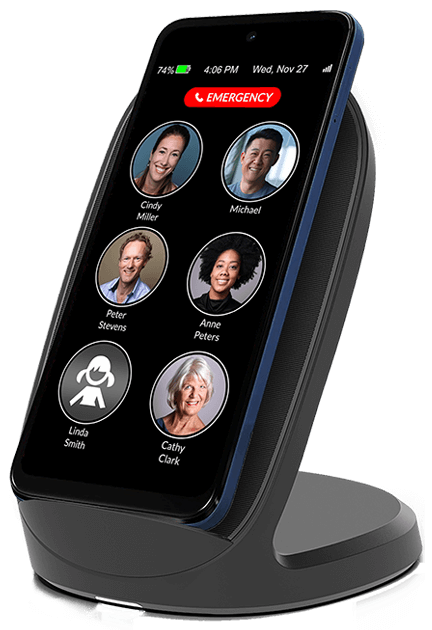
Wireless charging: The wireless charging set, the senior places the phone of the stand. That's it. Sold separately.
RAZ Tools:
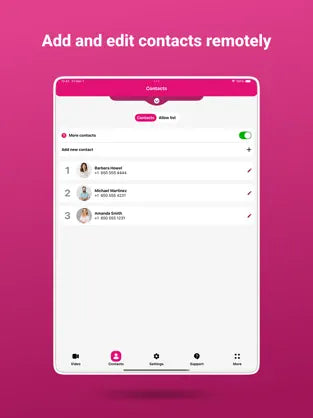
- Remotely manage contacts, settings and other aspects of your senior's phone from your own smartphone through the RAZ Care app.
- Reminders can be set to appear on your senior's phone at predetermined dates, times, and frequency. Customize color and font size.
- Quiet hours prevents your senior with dementia from calling specified contacts during certain hours of the day, such as in the middle of the night.
- Limit repetitive calls. Set a limit for the number of calls your senior can make to a contact within a specified time period. Reduce excessive calling while keeping emergency calls available.
- Availability status for video calls is displayed on the RAZ Care app to show whether your senior is available to receive video calls.
- Voicemail access is optional and can be displayed on the home screen.
- Month, day of the week, and date can be presented in the phone's status bar.
- In-call keypad can be shown automatically when the user calls a toll-free or any other number.
- Call history can be viewed through the RAZ Care app.
- Missed-calls indicator notifies the senior of a missed call with a pink dot next to the contact icon.
- Hear name of caller when there's an incoming call.
- Change ringtone and ringtone volume to fit your senior's preferences and needs.
- Free updates: get the latest features and improvements for free.
- Loneliness alerts help reduce loneliness and inform you when your senior does not participate in the desired number of calls.
RAZ Ease of Use:
- One-touch dialing allows seniors to place calls by simply tapping a picture.
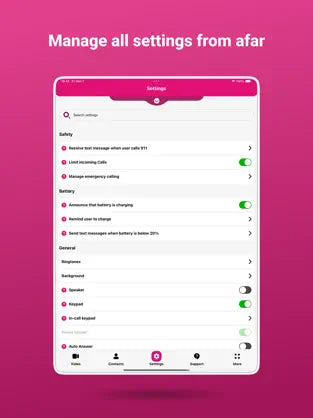
- User can't access settings. You, the caregiver, manage the settings from your own phone.
- Press & hold buttons is an intuitive method that prevents unwanted outgoing calls.
- Different call activation methods allow you to adapt the touchscreen to your senior's ability and needs.
- Automatic speaker mode: all calls automatically go to the phone's loudspeaker, with a volume of up to 126.5dB.
- Call confirmation screen helps to avoid accidental dials. It will appear after a contact is tapped, asking the senior to confirm that they really want to call the contact.
- Low vision & hand tremor mode makes everything much larger for users with low vision or hand tremors. You can also adjust the color scheme for better contrast.
- Volume rocker is disabled to ensure the volume is always set to maximum.
-
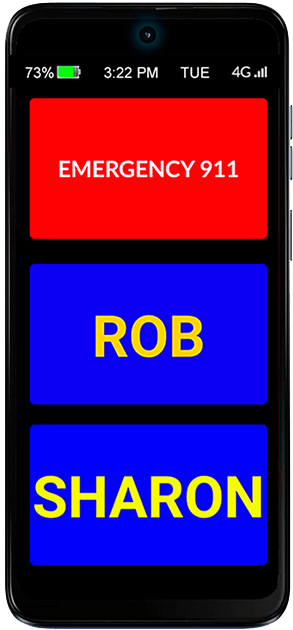
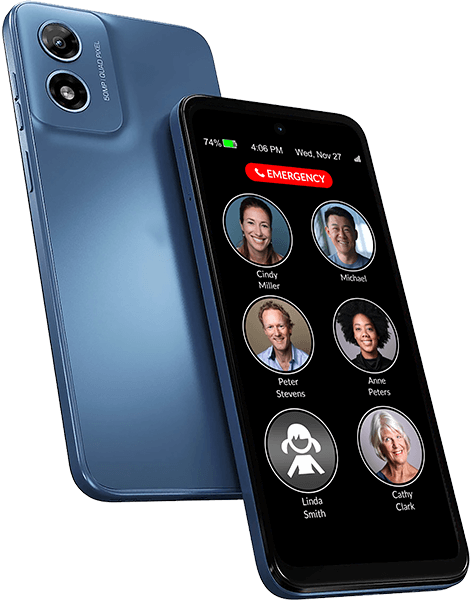
Large display shows six large pictures of contacts and an optional emergency button on a 6.5″ display.
- Large picture buttons for contacts allow your senior to easily find and reach their loved ones on the phone's home screen.
- Auto-lock makes the screen go dark after 2 minutes of inactivity, and wake up with movement.
- Always-on feature ensures that the phone is always ready to use. It will never fall asleep and lock.
- Keypad can be made available, allowing the senior to dial numbers manually, instead of picture dialing.
- Auto-answer make the phone answer automatically after a few rings and go to speakerphone, so you can check if your senior needs help. The senior doesn't need to press the Answer button.
- Power button can be disabled to ensure that the phone is always on and that the user does not inadvertently turn off the phone.
- Change background color to improve color contrast.
RAZ Safety:
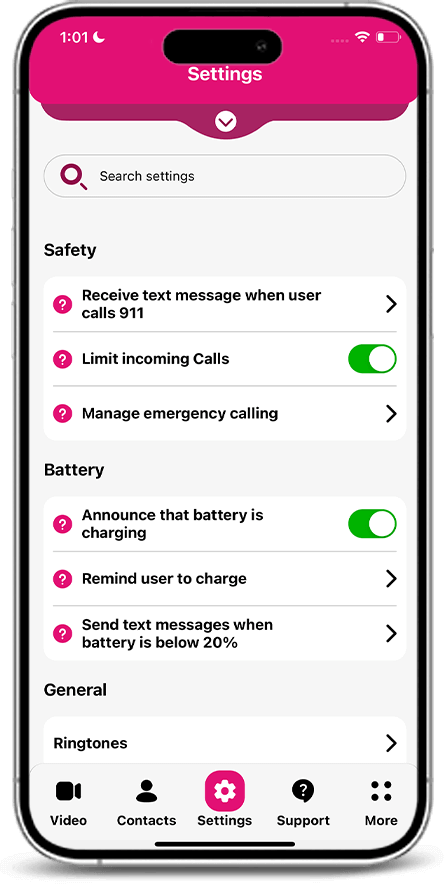
- Block unwanted incoming calls from non-contacts to prevent scams and robocalls.
- Contact allow list: create a list of people who can call your senior even if you have blocked calls from non-contacts.
- Location tracking provides the phone's location.
- On or off phone status allows you to check whether the phone is on or off.
- Monitor signal strength to check whether your senior has connectivity.
- Three emergency calling options: 1) emergency button on the home screen, 2) add emergency services as a contact, or 3) manually dial 911 with the keypad.
- RAZ Alert sends you a text message when the senior calls 911.
- Block the senior from making calls. The phone can be set up to receive calls only. The senior can still contact emergency services.
RAZ Communication:
- Video calling: video call your senior through the RAZ Care app. Only approved contacts can place video calls, not the senior.
- Text messaging: your senior can text loved ones using super-large letters, customizable keyboard and the speech-to-text option. You can limit who can text them.
- Phone calls are an easy way for your senior to stay connected with family and friends.
RAZ Battery:
- Wireless charging allows seniors with dexterity or vision challenges to charge their phone more easily. Simply place the phone on the charger. Sold separately.
- Charging reminders when the battery is low help your senior keep their phone charged.
- Announcement that phone is charging as soon as the senior plugs in the charging cable or places the phone on the wireless charger.
- Check battery power and charging status on your own smartphone through the RAZ Care app.
- Low battery text alert lets you know when battery is below a predetermined threshold.
- Long-lasting battery guarantees that your senior stays connected for as long as possible between charges.
RAZ Specifications:
- Operating System: Android 14
- Processor: Qualcomm Snapdragon 680
- Memory (RAM): 4GB
- Internal storage: 64GB
- Expandable storage: Up to 512GB with microSD card
- Battery size: 5,000mAh
- HAC rating: M3/T3
- Display: 6.5 inches, 720×1600 pixels
- Dimensions: Height: 6.45"; Width: 2.95"; Depth: 0.326"
- Weight: 5.63oz.
- Ports: Type-C USB, 3.5mm audio
- The RAZ Memory Cell Phone is unlocked. It is compatible with all major wireless providers in the US and Canada.
- Cellular connectivity: 4G VoLTE
- 4G LTE Bands: 1 / 2 / 3 / 4 / 5 / 7 / 8 / 12 / 13 / 17 / 25 / 26 / 28 / 38 / 40 / 41 / 66 / 71
- SIM card: Nano-SIM
RAZ In the box:
- Device: Smartphone
- Accessories: Wall charger, Type-C USB charger cable (length: 3ft.) and user guide
- FCC ID: IHDT56AN3
Manage the phone through the RAZ Care caregiver app
- From your own smartphone – iPhone or Android – manage all aspects of the RAZ Memory Cell Phone from afar. Add and edit contacts, manage all settings, and check phone status information, such as the phone location, signal strength, and battery power.
- You cannot install mobile applications on the phone, such as Facebook or Amazon Shopping.
- Note: Basic RAZ Caregiver App functions are available only English: "Answer"; "Hang up"; "Emergency 911"; "Reminder"; and "Close".
*Download the Caregiver App to see your options and responsibilities*


- https://play.google.com/store/apps/details?id=com.comit.caregiver&hl=en_CA
- https://apps.apple.com/gb/app/raz-caregiver/id1580074882
RAZ Support Team is available Monday - Saturday from 10AM to 7PM ET. at 1-800-729-0083.