



Description
Sensotec my Board Buddy GO Wireless Smartboard Magnification for Visually Impaired Students in Canada. Perfect for students who move between classrooms regularly. Ideal for low visioned employees.
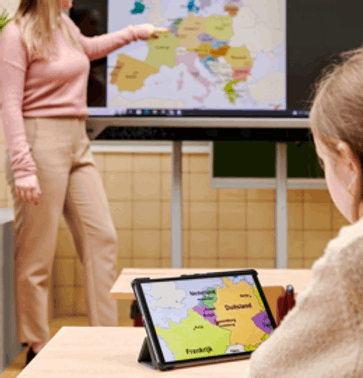
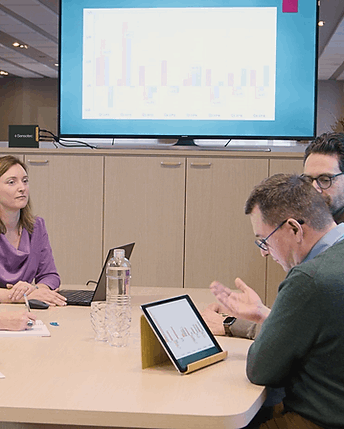
my Board Buddy GO is a mobile smartboard magnification solution that allows visually impaired students and employees to view digital whiteboards, projectors, and presentation screens directly on their tablet or smartphone—in high quality, with adjustable zoom, color contrast, and without impact on the original screen.
Technical Specifications & Integration
As a technical expert in assistive tools, we’ve designed the my Board Buddy GO to be a "plug-and-play" addition to existing infrastructure.
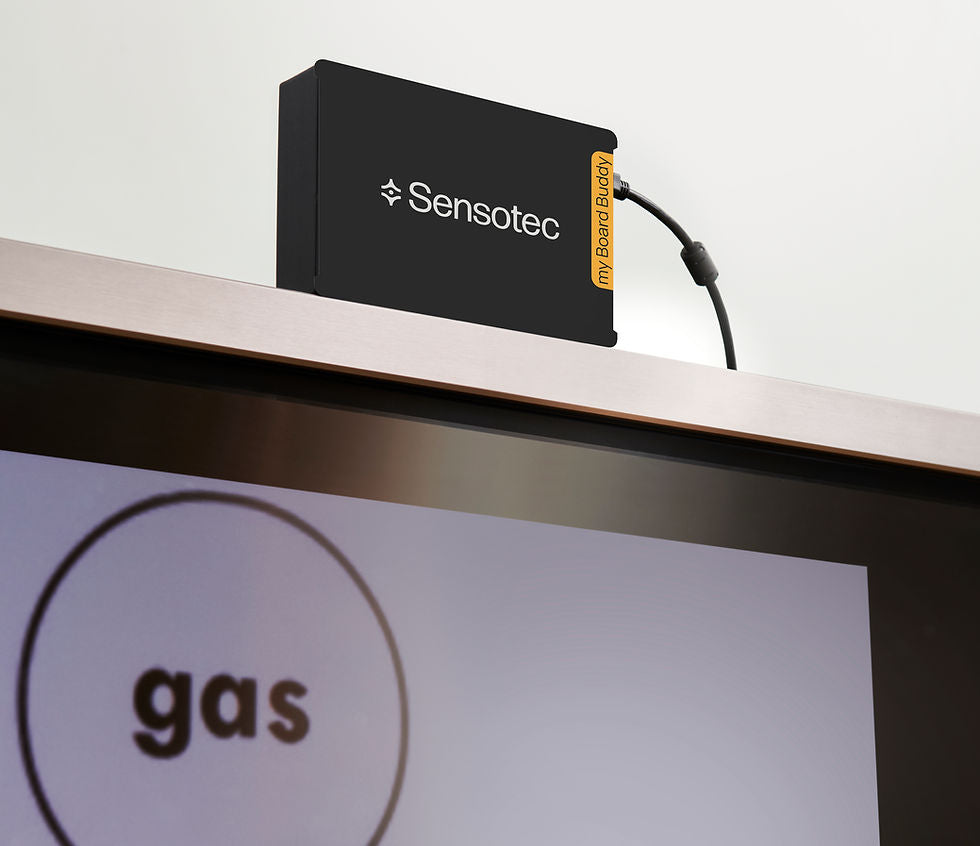
- Hardware: A compact transmitter placed between the source (laptop) and the output (smartboard).
- Connectivity: Wireless transmission to the my Board Buddy App.
- Hybrid Setup: Can be used as a stand-alone device or as an add-on to traditional camera systems used for viewing physical objects.
- All screen content is displayed with minimal delay: text, photo, video, live notes.
How does it works?
- The app on the tablet wirelessly receives the signal from the my Board Buddy transmitter as soon as the user enters the room. The user opens the app and immediately sees the "connect" button. The steps to connect are completed automatically.
- The app works on iOS, Android and Chromebook.
- One my Board Buddy transmitter should be connected per classroom or meeting room. The user can give each my Board Buddy transmitter its own name, e.g. chemistry class, history class, math class,....
- If there are multiple transmitters within range, this will allow the user to easily choose the classroom they are in.
- Startup takes only 20 seconds!
Why choose my Board Buddy GO to magnify the Smartboard?
- Mobile & Flexible: Perfect for users who move between classrooms or meeting rooms.
- High‑Quality Digital Magnification: The my Board Buddy GO is vibration‑free, provides a high resolution image and a maximum zoom without distortion and has no impact on the original smartboard image
- Independent Use: Users control their own view without affecting the teacher’s or presenter’s screen.
- Fast Setup: Connects automatically. No infrastructure changes needed.
- Record Lessons or Presentations: Ideal for studying or reviewing meeting content.
Who is my Board Buddy GO designed For?
- Visually impaired students: They can follow lessons in any classroom by viewing the smartboard directly on their tablet. The tool lets them zoom, adjust contrast and colors, and even record lessons for later review.
- Visually impaired employees: It helps them participate fully in meetings, presentations, and training sessions by giving them a private, accessible view of the shared screen—without needing assistance or disrupting others.
- Distributors of assistive devices: It offers a high‑quality, digital smartboard magnification solution that can be sold as a stand‑alone product or integrated with existing camera-based systems.
How does my Board Buddy GO improve Classroom Accessibility?
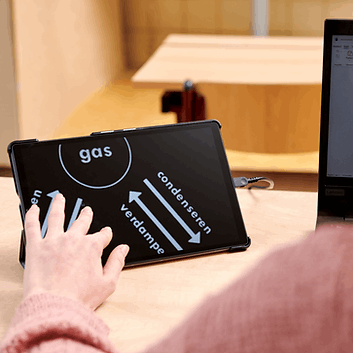
- Stand-alone with tablet: my Board Buddy GO works perfectly stand-alone with a tablet on which the user determines the magnification & color manipulation of the duplicated image using finger motions. The user can also record the content for later review when studying.
- Add-on to school systems: my Board Buddy GO is an ideal smartboard magnifier add-on to the existing school systems for analog info. In this case the camera, like my Board Buddy CAM is used for magnification of analog info and class participation, my Board Buddy GO is used for digital info.
- Multiple Buddies possible: Duplicates to multiple buddies simultaneously. Each buddy has control over the way the image is represented on his or her screen.
- Wired or wireless: + simple management Installling and using the my Board Buddy GO is fast and simple (wireless). No need to adapt existing infrastructure.
What makes my Board Buddy GO unique?
- Digital- magnification (not camera-based)
- Minimal delay for text, video, and live annotations
- User-controlled view
- Works with any modern smartboard or projector, even 4K
- Scales to multiple classrooms
- Ideal for inclusive education and workplaces
- Discreet and accessible use for the user
How fast is the setup?
- User enters the room
- App detects the transmitter
- User taps “Connect”
- Ready within 20 second
Is my Board Buddy GO compatible with 4K Smartboards?
- Yes.
- Both my Board Buddy GO and AIR support 4K digital boards.
Is my Board Buddy GO suitable for professional workplaces?
- Absolutely. In the modern hybrid office, digital screens are the hub of collaboration. Whether it’s a high-stakes PowerPoint or a collaborative team meeting, visually impaired professionals deserve equal access to visual data.
- my Board Buddy GO bridges the gap by streaming a high-definition, magnified feed of any presentation screen directly to a tablet.
- Because it operates independently, the employee can customize their view—adjusting zoom and contrast—without interrupting the flow of the meeting for others. It is the ultimate plug-and-play solution for mobile, inclusive professionals.
AIR vs GO Why choose my Board Buddy AIR or my Board Buddy GO?
-
my Board Buddy AIR
- Ideal in case of a fixed class,
meeting room,... - Suitable for young children
- User uses monitor and remote control
- Much overview by large monitor
- my Board Buddy AIR = transmitter, receiver and remote control.
- Compatible with 4K blackboards
- my Board Buddy AIR
my Board Buddy GO
- Ideal when user moves frequently
- Suitable from adolescence onwards
- User uses tablet and touch screen
- App enables records of screen and video
- Tablet size determines degree of overview
- my Board Buddy GO = transmitter and app.
- Compatible with 4K blackboards
What's Included my Board Buddy GO:
- My Board Buddy Transmitter w/power adapter
- My Board Buddy App
- User Manual
- Find the free app in the Google Play or Apple Store
Compatible with:
- iPhone/iPad
- Android
- Chromebook
Compare Versions:
