



Description
my Board Buddy AIR The solution to magnify the smartboard in a classroom in Canada
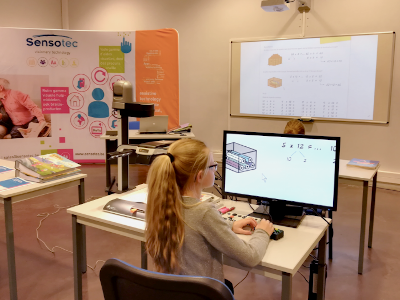
- my Board Buddy AIR: Works on a tablet w/free app AND a stand-alone monitor
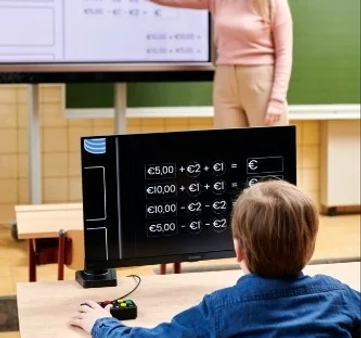
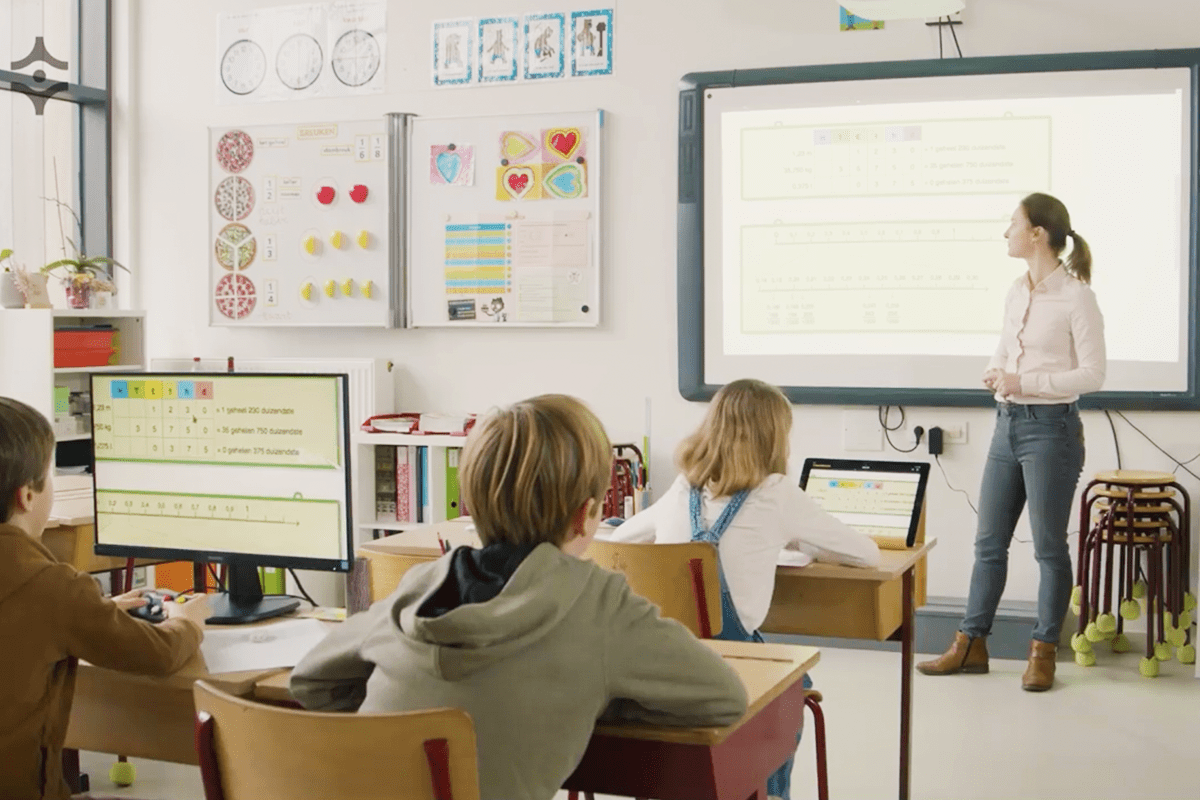
- The solution to help visually impaired students magnify the smartboard display on a monitor nearby. Ideal for students who attend classes in a permanent classroom.
- my Board Buddy AIR is a wireless, plug‑and‑play magnification solution designed to make smartboard content accessible to students who have low vision. By streaming the smartboard image directly to a nearby screen—without cables, delays, or technical complexity—it ensures every learner can follow lessons comfortably and independently.
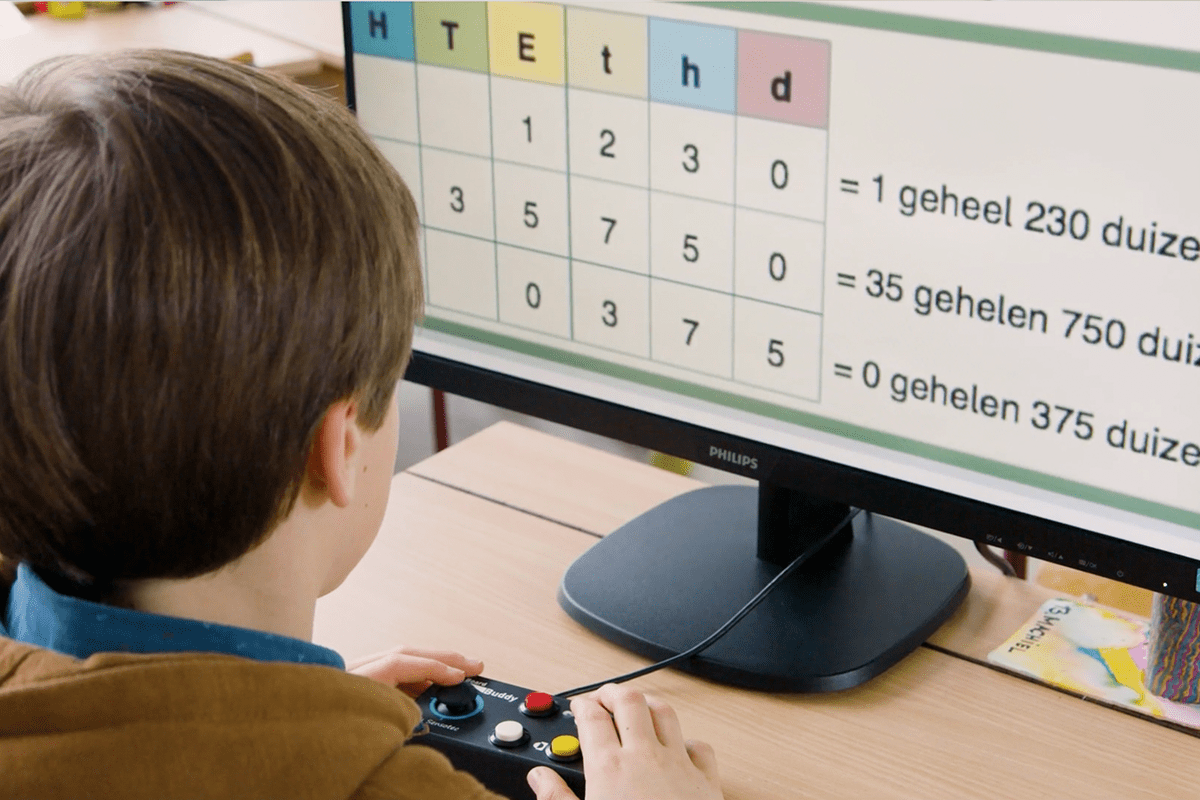
- The student can adjust the magnification and color contrast himself without impacting the image of the smartboard using a remote control with joystick.All screen content is displayed with minimal delay: text, photo, video, live notes.
- Built for classrooms, therapy rooms, and inclusive learning environments, my Board Buddy AIR gives distributors a powerful, future‑proof solution that meets the growing demand for accessible digital learning tools.
How does my Board Buddy AIR work?
This simple but genious device makes a vibration-free, maximum magnifiable duplicate of the smartboard or any other projection, while maintaining the original image quality.
The my Board Buddy transmitter is placed between the source of the image e.g. laptop and the smartboard or beamer using an HDMI cable.
- Wireless Setup: Simply plug the transmitter between the laptop and the board—no messy cables.
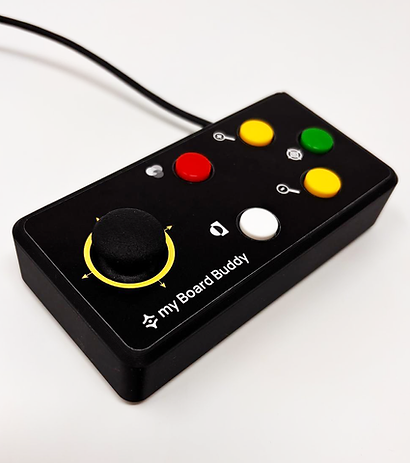
- Tactile Control: Students use an intuitive joystick with colorful buttons to zoom and change contrast.
- Active Learning: Whether as a stand-alone tool or a camera add-on, it empowers students to follow lessons independently and participate in real-time.
Why choose my Board Buddy AIR to make the smartboard accessible?
- my Board Buddy AIR works perfectly stand-alone with a monitor on which the user determines the magnification & color manipulation of the duplicated image.
- my Board Buddy AIR is an ideal add-on to existing school systems for analog information. In this case, the camera is used to enlarge analog information and encourage classroom participation, while my Board Buddy AIR is used for digital information.
- Simultaneous duplication to multiple users. While allowing each user to determine how the image appears on their screen.
- Wireless & easy to use. Setting up and using my Board Buddy AIR is quick and easy. No changes to the existing infrastructure are required.
Why is my Board Buddy AIR essential for a visually impaired student?
- Traditional cameras often struggle with glare and blur, forcing visually impaired students to squint at distant, shaky images. my Board Buddy AIR removes these barriers by bringing a high-definition, vibration-free digital twin of the smartboard directly to the student’s desk.
- This real-time clarity prevents eye strain and visual fatigue. By using an intuitive tactile joystick, students independently control their own zoom and color contrast, allowing them to follow live lessons at the exact same pace as their peers.
Is the my Board Buddy AIR easy to operate?
The my Board Buddy AIR comes with a controller featuring a joystick and five colored buttons. The controller is easy to use and simple for young children to operate. The controller's buttons come in different colors and stand out against the controller’s black frame, making their functions clear to the user.
- yellow buttons with + and - symbols = magnification
- joystick to navigate into the image when magnification is set.
- white button= color inversion and high contrast modes
- red button = image in grayscale or true colors
The ideal add-on, but also a perfect stand-alone.
- Stand-alone with monitor: my Board Buddy AIR works perfectly stand-alone with a monitor on which the user determines the magnification & color manipulation of the duplicated image.
- Add-on to school systems: my Board Buddy AIR is an ideal smartboard magnifier add-on to the existing school systems for analog info. In this case the camera is used for magnification of analog info and class participation, my Board Buddy AIR is usefor digital info.
- Multiple Buddies possible: Duplicates to multiple Buddies simultaneously. Each Buddy has control over the way the image is represented on his or her screen.
- Wired or wireless + simple management: Installling and using the my Board Buddy AIR is fast and simple (wireless or via network cable). No need to adapt existing infrastructure.
How fast is the setup?
- User enters the room
- App detects the transmitter
- User taps “Connect”
- Ready within 20 second
Is my Board Buddy GO compatible with 4K Smartboards?
- Yes.
- Both my Board Buddy GO and AIR support 4K digital boards.
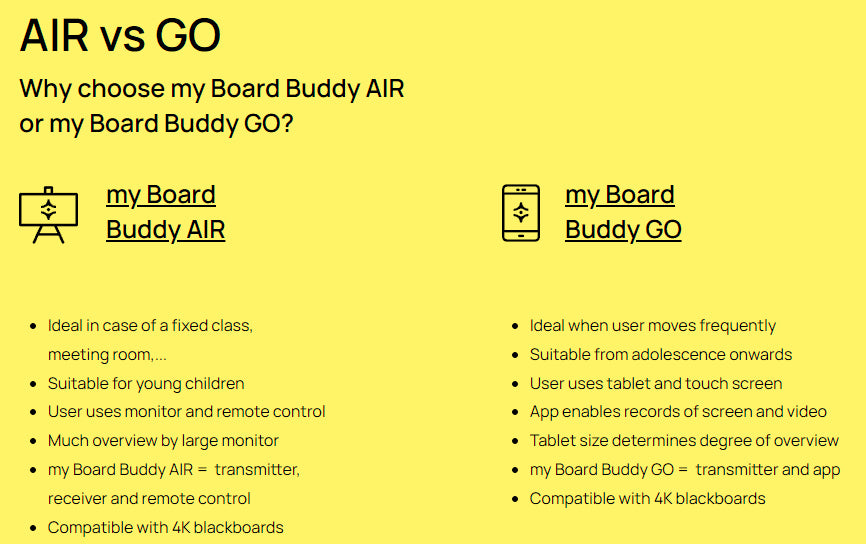
AIR vs GO Why choose my Board Buddy AIR or my Board Buddy GO?
-
my Board Buddy AIR
- Ideal in case of a fixed class, meeting room,...
- Suitable for young children
- User uses monitor and remote control
- Much overview by large monitor
- my Board Buddy AIR = transmitter, receiver and remote control.
- Compatible with 4K blackboards
my Board Buddy GO
- Ideal when user moves frequently
- Suitable from adolescence onwards
- User uses tablet and touch screen
- App enables records of screen and video
- Tablet size determines degree of overview
- my Board Buddy GO = transmitter and app.
- Compatible with 4K blackboards
- my Board Buddy Go

