


Description
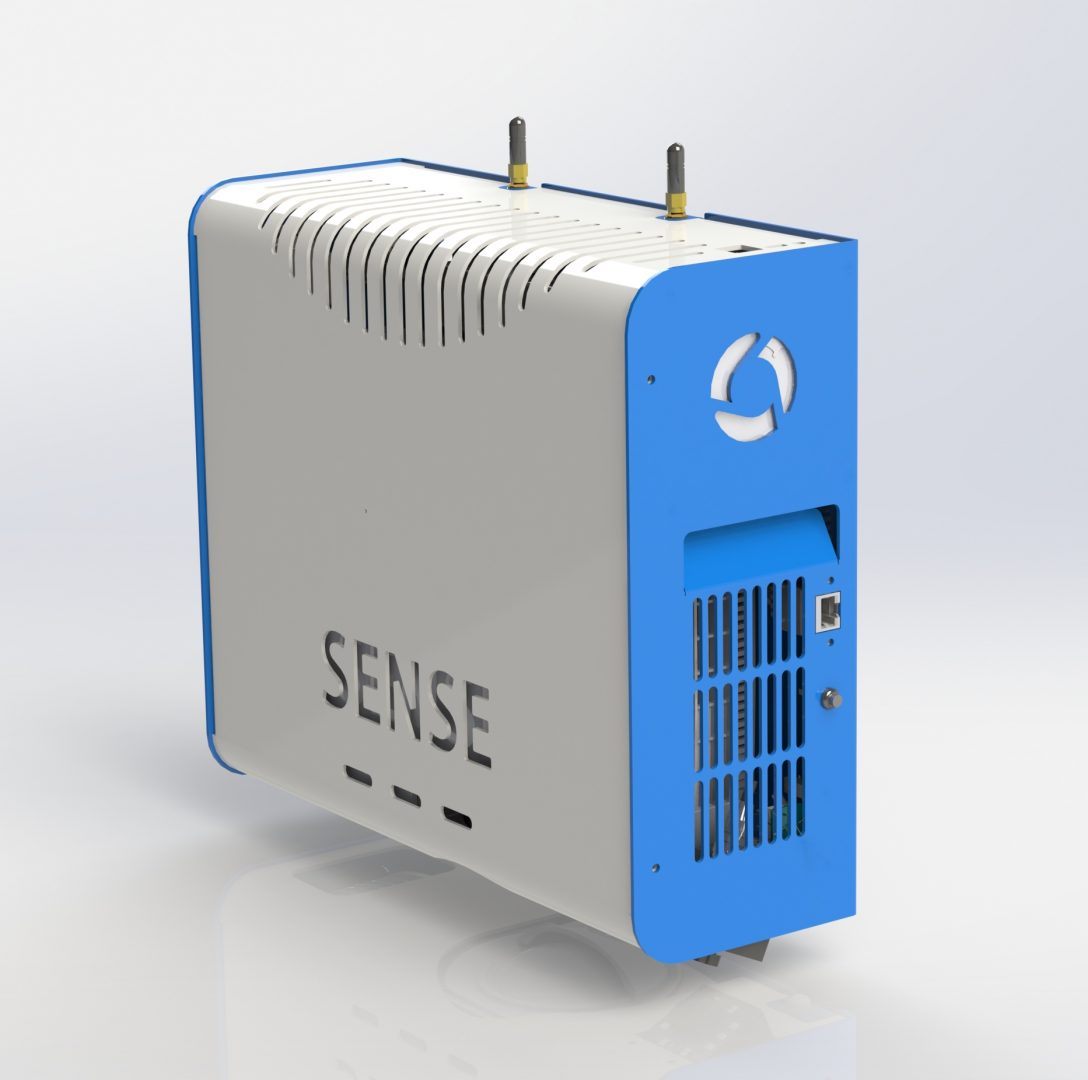
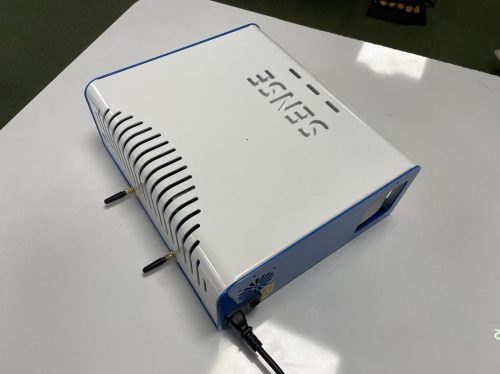
SENse Air, the all-in-one wall-mounted interactive floor projection system in Canada.
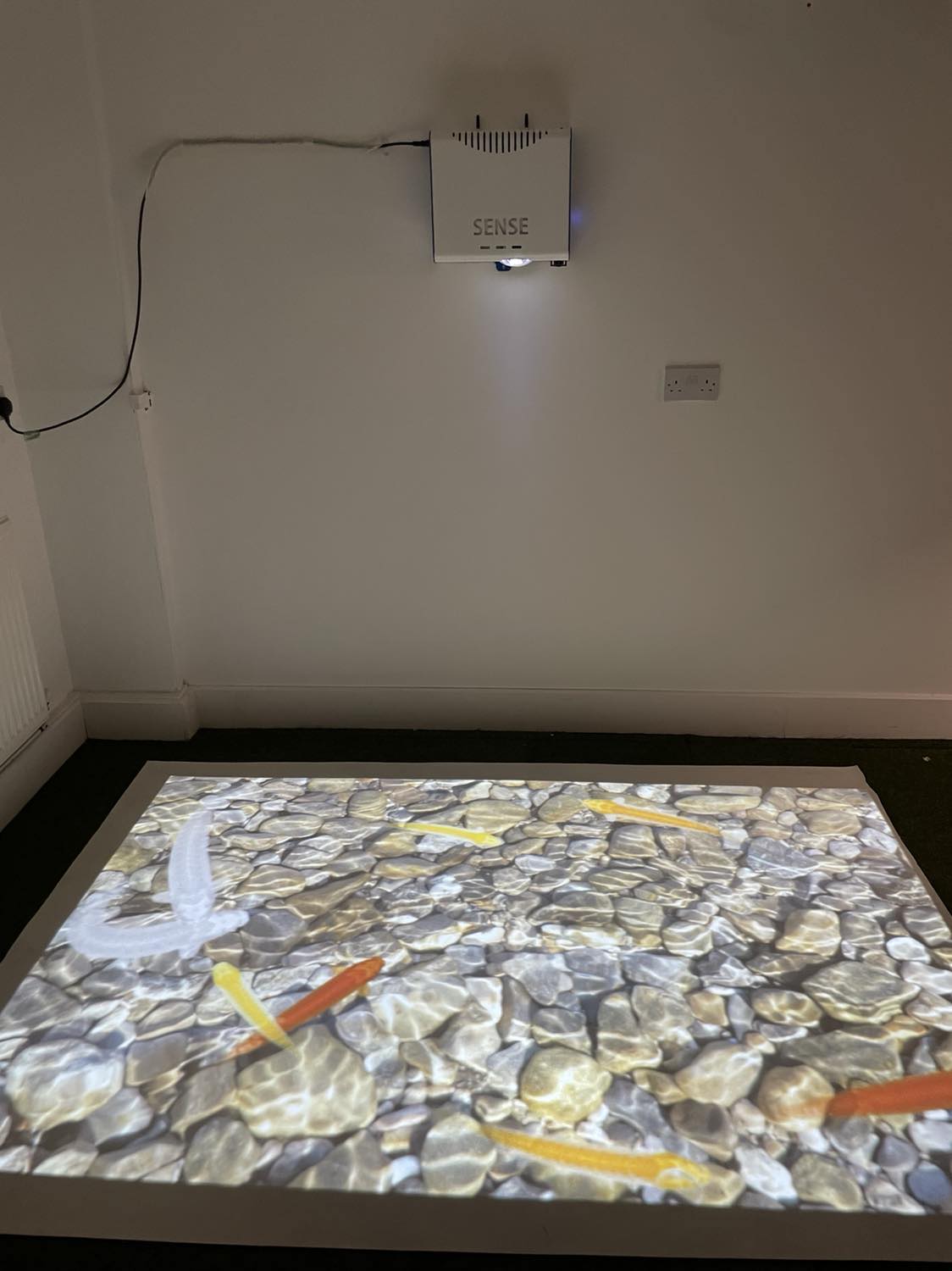
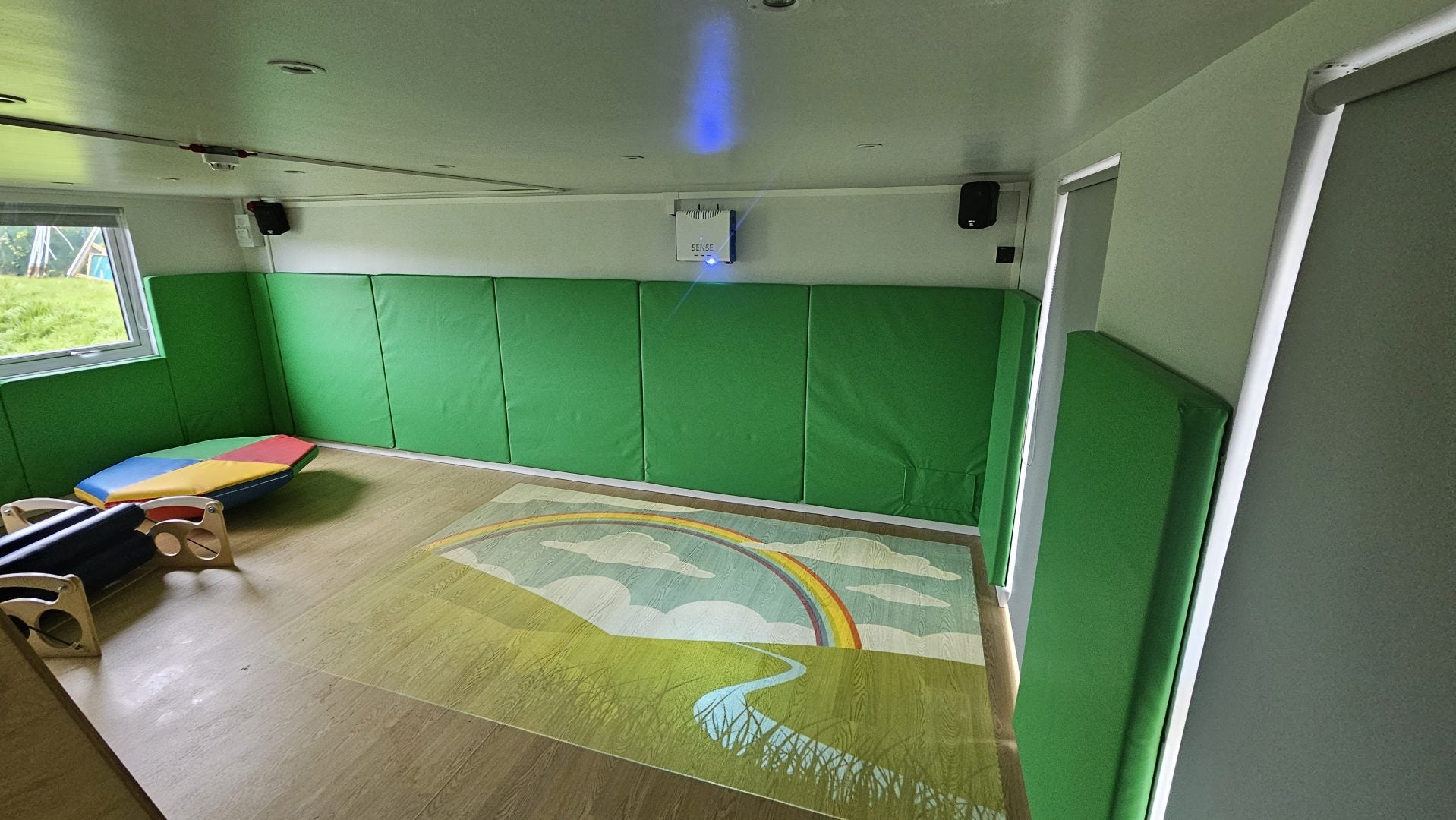
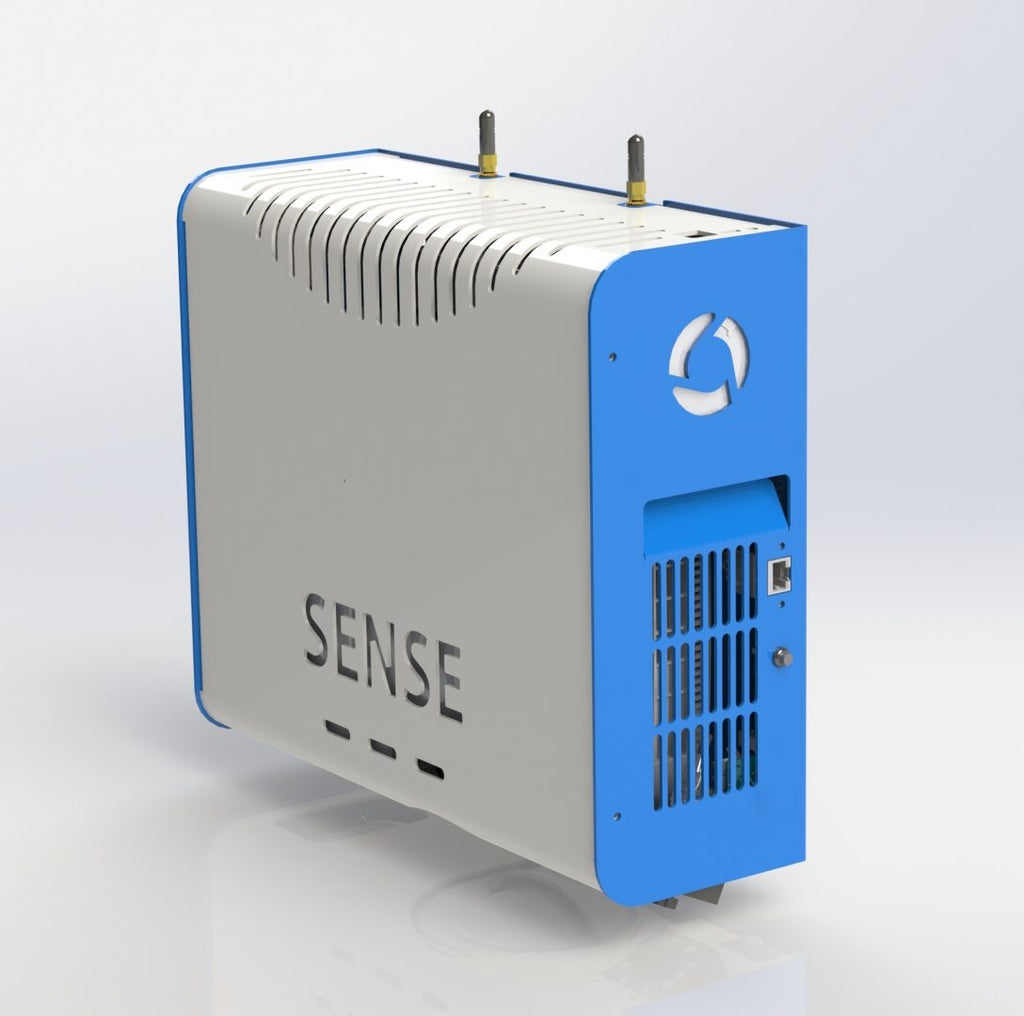
Introducing the SENse Air, the all-in-one wall-mounted interactive floor projection system. First, its compact and versatile design enables sensory projection to effortlessly transform any space into an interactive floor. Additionally, this system offers a seamless and clutter-free setup, making it simple to integrate into various environments. As a result, the SENse Air effectively turns ordinary floors into engaging and interactive environments, enhancing both functionality and enjoyment.

Suite Option:
- Imaginate Suite - See PDF
- Imaginate Suite Video
- Well-being Suite - See
Introducing the SENse Air, the all-in-one wall-mounted interactive floor projection system. First, its compact and versatile design enables sensory projection to effortlessly transform any space into an interactive floor. Additionally, this system offers a seamless and clutter-free setup, making it simple to integrate into various environments. As a result, the SENse Air effectively turns ordinary floors into engaging and interactive environments, enhancing both functionality and enjoyment.
Benefits of Interactive Projection
Interactive projection offers a multitude of benefits that enhance the overall experience of its users, whether they’re children or young adults in a sensory room, individuals with special needs, or adults seeking an immersive sensory experience.
Firstly, explore our range of Sensory Projection solutions, where we offer various Interactive Projection units to suit most budgets and environments.
Moreover, the SENse Air captivates attention and encourages active participation. Specifically, the interactive projection creates a dynamic and responsive environment that stimulates curiosity and engagement. This is particularly beneficial for those with sensory processing needs or limited movement. Consequently, users only need to make minimal movements to alter aspects of their immediate environment using the interactive projection.

Enhance Engagement with The SENse Air
Our SENse Air guarantees a consistent and optimized visual experience for both the Interactive Table and Floor, thanks to its fixed projection size. Consequently, users can enjoy a standardized display that perfectly suits interactive activities, which in turn fosters engagement, collaboration, and learning. Whether it’s used in a classroom, therapy room, or any other setting, our solution offers reliable and visually appealing results. Thus, you can count on a seamless and effective interactive experience in various environments.

Simple to use
Experience an Interactive Projection Unit that is both user-friendly and adaptable. The SENse Air offers a diverse range of interactive applications and games tailored to suit various educational objectives and user preferences. For instance, from interactive lessons to engaging games, our unit provides a wide variety of content suitable for different age groups and abilities. Consequently, it ensures that users can find relevant and enjoyable experiences that meet their individual needs and learning goals.

SENse Air Activities
Unlock the potential of the Imaginate Suite: Explore a comprehensive collection of around 500 pre made activities. ready to use content covering various subjects and learning objectives, seamlessly integrating into educational programs for educators and parents, all included on our SENse Range of Interactive sensory projection units.

Imaginate Actives:
Customize
Elevate your experience: Enjoy access to our cloud-based Editor, providing continuous convenience to create and customize activities. Explore a vast library of included images, sounds, and videos in the online Editor, empowering you to design engaging and meaningful interactive activities. Unleash your creativity by adding your own media, personalizing the content to suit your

Sensory Floor
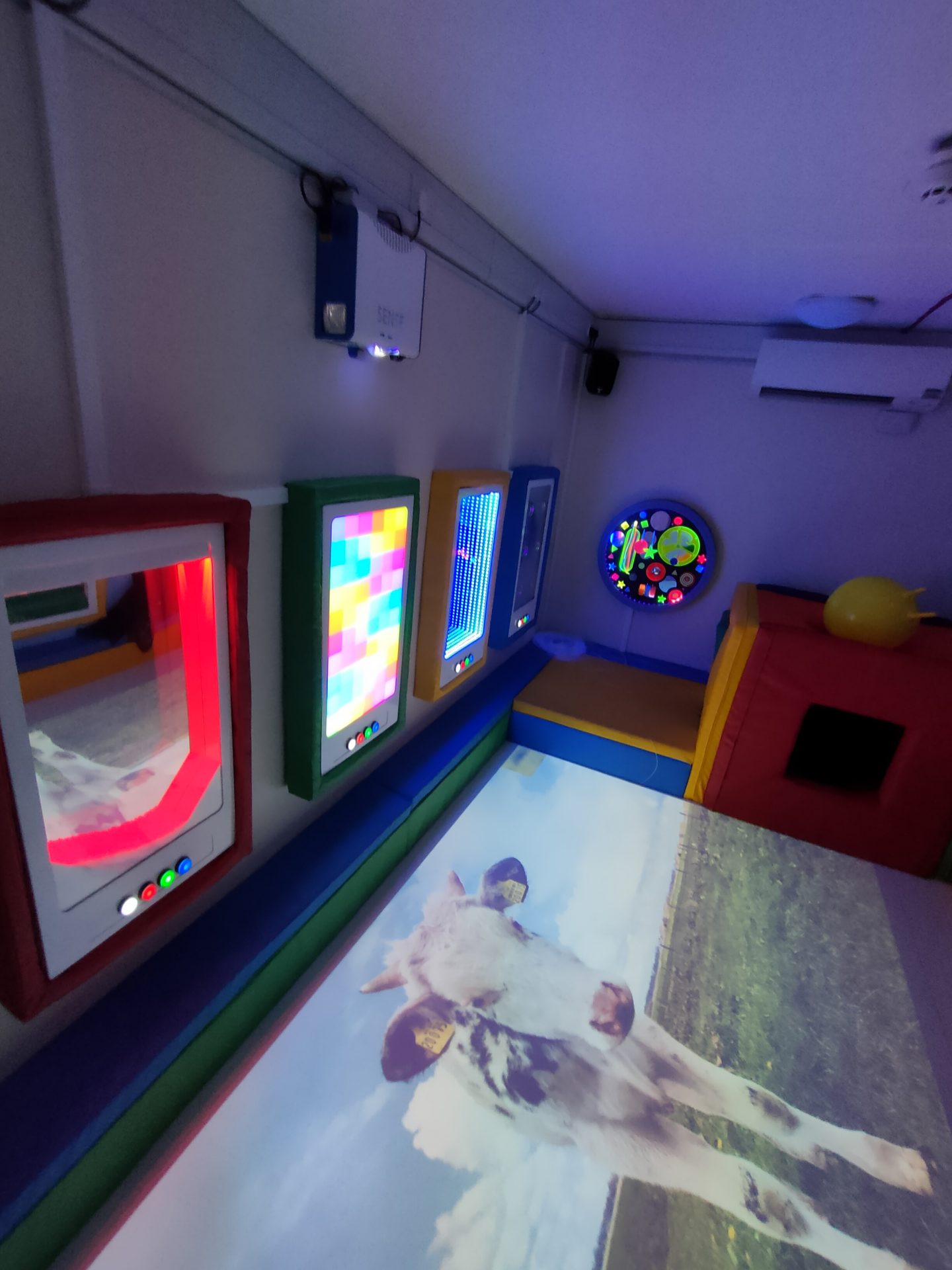
The SENse Air turns ordinary floors into a captivating sensory floor with its innovative Imaginate Suite. By projecting vivid, interactive content directly onto the floor, the SENse Air creates a dynamic sensory floor that engages users with stimulating visuals and interactive experiences. As users move and interact with the projections, they enjoy a range of sensory activities designed to enhance physical activity, cognitive engagement, and emotional well-being. The Imaginate Suite further enriches this experience by offering diverse sensory content, making the sensory floor not only a tool for fun and learning but also a valuable resource for promoting connection and exploration in care settings.

Activities
Unlock the potential of the Imaginate Suite: Explore a comprehensive collection of around 500 pre made activities. Ready to use content covering various subjects, learning objectives and lots of sensory cause and effect activities, seamlessly integrating into educational programs for educators and parents.
Activity types include:
Boing Bingo Quizzes Hotspot’s
Particles- fade, fizzle and explode
Jigsaw Card games Bubbles Media player
Pieces- Flip, Fade, Repel and Reveal
Word searches Storyboard Fish/water ripple Paint/Demister Scatter
Splat Ball games

Instant Activity Wizard
Utilize the “Instant Activity Wizard” to craft personalized activities by incorporating a variety of your own images, enriching their overall experience.
This creates a simple and easy way to personalize activities:
- Create a folder on a USB memory stick and name the folder
- Gather a set of images either personal or topic based, make sure they are relevant for the activity you want to create
- Insert the USB stick into the machine
- The Imaginate software will assemble a range of activities using your images, resulting in a genuinely personalized experience.

Free Online Editor Portal
Upon successful activation, you unlock a wealth of possibilities with Imaginate, and gain free access to the powerful creative suite. Imaginate’ s creative suite is a game-changer, offering an extensive array of multimedia resources and customisation options. This allows you to design interactive activities that are not only engaging but also tailored precisely to the preferences and requirements of your users. Whether you’re looking to educate, entertain or inform the portal provides the tools you need to captivate your audience.
With access to a comprehensive library of images, sounds and videos, you can create visually stunning and immersive experiences. Moreover, Imaginate enables you to seamlessly integrate your own media content, allowing you to personalize the experience even further. This level of customization ensures that your activities resonate deeply with your users, fostering a stronger connection and engagement.
Editor Pro*
Unlock total control with Imaginate Pro and unleash your creativity with the activation of the storyboard editor in Imaginate. This powerful tool puts you in the driver’s seat, offering full control to craft interactive stories or creative quizzes tailored to your vision.
With the storyboard editor, you have the freedom to design immersive narratives or engaging quizzes with ease. Whether you’re weaving a captivating tale or testing knowledge with interactive questions, the possibilities are endless. The intuitive interface makes it simple to arrange scenes, add interactive elements, and bring your ideas to life. The benefits don't stop there. In addition to empowering your creativity, Imaginate Pro provides real-time statistical data. This invaluable feature allows you to track user engagement, measure the effectiveness of your activities, and gain insights into user behavior.
Armed with this data, you can further tailor your activities to meet the specific requirements and preferences of your users. Whether it’s adjusting content, fine tuning interactions or targeting specific areas for improvement, the real-time feedback provided by Imaginate Pro enables you to optimize your efforts and maximize the impact of your activities.

App
Improve your Imaginate Suite Experience: Enjoy one year access to the Imaginate App. Effortlessly navigate activities and profiles, engaging users and customizing experiences.
The intuitive interface provides quick access to content, enhancing efficiency and user friendliness. Utilize the mobility and flexibility of your tablet or phone for instant control in any learning environment. Enhancing smooth transitions and dynamic sessions.

Support
To support your usage, we provide one year of access to remote and telephone support. This ensures that you have ongoing access to updates and assistance whenever you need it.

SENse Air Activities
Unlock the potential of the Imaginate Suite: Explore a comprehensive collection of around 500 pre made activities. ready to use content covering various subjects and learning objectives, seamlessly integrating into educational programs for educators and parents, all included on our SENse Range of Interactive sensory projection units.
Paint
See the image come to life with vibrant colors
Colour in the black and white image with your hands, feet or any tool from the Activity Pack.
- Encourage movement by getting the user to reach and move to colour in all the image
- Helps promote mental well being
- Cause and effect
- Calming activity
Bubbles
Who doesn’t love popping bubbles and hearing that satisfying noise of the pop!
Pop the bubbles with hands, feet or any tool from the Activity Pack
- Encourage movement by getting the user to reach and move to pop all the bubbles on the screen
- Helps promote mental well being
- Cause and effect
- Calming activity
Racing
Race up to four people in this racing game, this activity is physical but lots of fun and is a great social activity.
For those that will struggle with the physical aspect of this game use the duster from the Activity Pack to make it easier
- Encourage movement by getting the user to move the needle to get the car to move faster
- Cause and effect
- Physical and mental stimulation
- Promote socialization and communication
Bingo
Bring up to four people together for a game of Bingo to encourage socialisation.
The number will spin so each player can see the number being called.
Missed the number? Don't worry it will mark it for you.
- Physical and mental stimulation
- Promote socialization and communication
Word searches
Can you find the hidden word? There are a choice of themed word searches to try and these are great for cognitive well being.
- Encourage cognitive and mental well being
- Socialization and communication
- Promote independent choices
Splat
Hit those flying objects as they appear on the screen, this activity is great for encouraging users to stretch or use a hand or foot to splat the item. The objects can be splatted with one of the tools as well as parts of the body so why not try the long handled brush or the duster.
- Encourage movement by getting the user to reach and move to splat all the objects as they appear on screen
- Helps promote mental well being
- Cause and effect
- Stimulating activity
Scatter
Grab the duster from the Activity Pack and see if you can gather up the leaves or move the objects out of the way to reveal a picture.
- Encourage movement by getting the user to reach and move the objects to scatter them out of the way
- Helps promote mental well being
- Cause and effect
- Relaxation and calming activity
Ball games
We have a range of ball games to choose from
Football, Basketball, Ice Hockey, Rugby or Pool
This activity is physical and can get very competitive and is great for a social activity and to get those limbs moving.
- Encourage movement by getting the user to move the ball around and score those all important balls
- Physical and mental stimulation
- Promote socialization and communication
Quizzes
Great for mental and cognitive well being there are plenty of quizzes to test your knowledge
Choose from themed quizzes such as TV and Film, Flags and General knowledge.
- Encourage cognitive and mental well being
- Socialization and communication
- Promote independent choices
Jigsaw
A great activity to promote independence, let the user choose which jigsaw they want to complete. The pieces will fly into the correct position when the jigsaw piece is touched and produce the completed image at the end.
- Encourage cognitive and mental well being
- Socialization and communication
- Promote independent choices
Boing
Bounce the object around the screen to another user or independently. The objects can be interacted with by touching with feet, hands or a tool from the Activity Pack
- Stimulate physical and mental activity
- Enhance socialization and communication
Breathing
Practice your breathing techniques:
Equal – Helping you to relax and remain focused
Box- Powerful stress reliever
4-7-8 – Promotes better sleep
- Improve well being and emotional stability
- Promote independence
Fish
The calming fish pond with water ripple and soothing sounds, touch the water to see the ripple that you have created and the fish will swim towards you.
- Improve well being and emotional stability
Tiles
Wipe over the image with your hands, feet or tool from the Activity Pack to reveal another image, there are different tile modes to choose from when creating a tile activity.
- Stimulate physical and mental activity
Pairs
Play a game of matching pairs with up to four people, there are a variety of card themes to choose from
- Improve well being and emotional stability
- Enhance socialization and communication
Particles
Touch the image and an object will appear, use any body part or a tool from the activity pack to interact with this cause and effect activity
- Stimulate physical and mental activity
- Cause and effect activity
- Improve well being and emotional stability
Snap
Play a competitive game of snap with up to four people. Test your reaction skills by trying to be the first one to hit the button as the snap appears, there are a variety of packs to choose from.
- Stimulate physical and mental activity
- Improve well being and emotional stability
- Encourage socialization and communication
Maths
KS1 Maths interactive content with multiple choice answers.
- Stimulate mental activity
- Educational activity
Phonics
Test your phonics knowledge with this KS1 phonics activity
- Stimulate mental activity
- Educational activity
Hotspots
Touch an area of the image or video to see another layer of interaction, this could be a text box, video, sound effect or another image. This is an ideal activity to create more educational content.
- Stimulate physical & mental activity
- Educational activity
- Cause and effect
Media Player
This activity is used to play an image or video file with no interaction, this is a useful activity to create an environment in an Immersive Room.
- Conversation starter
- Environment simulation
SENse Air user guide V2
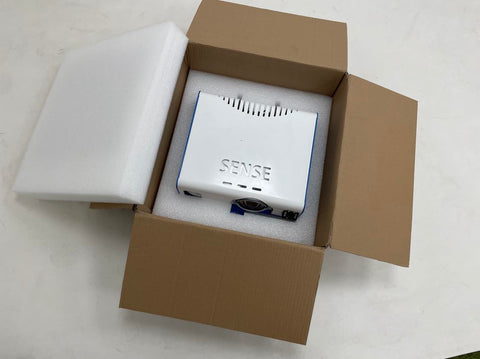
What is in the box
- SENse Air
- 1x Black remote
- 1x Epson white remote (Diagnostic tool)
- 1x calibration disc (Diagnostic tool)
- 1x Logitech Keyboard
- 1x Laminated sheet
- 1x Activity Pack (if applicable)
Installation
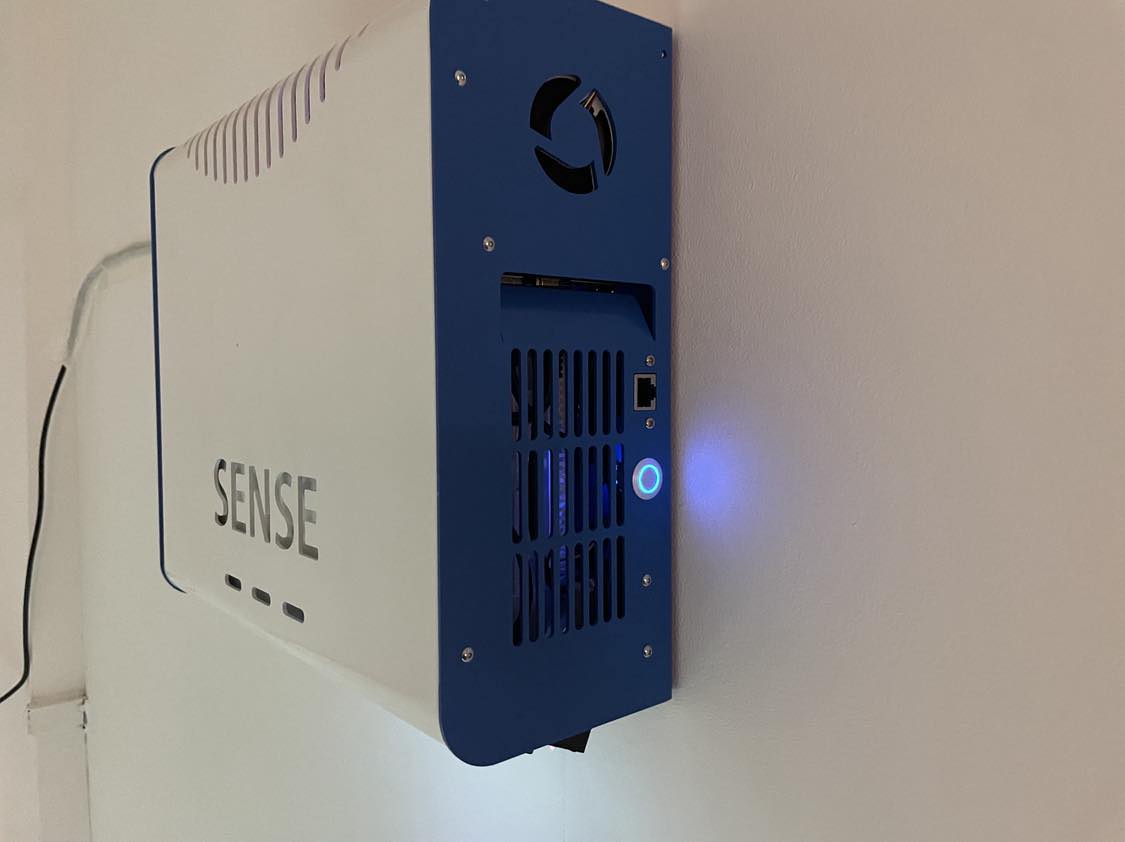
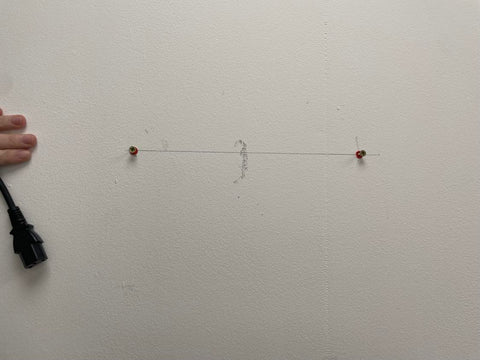
- Find a suitable wall to install the SENse Air onto
- Optimized height for installation of the SENse Air is approx 1.4m from floor to the bottom of the unit
- Install using appropriate fixings for your wall type and construction
Start Up
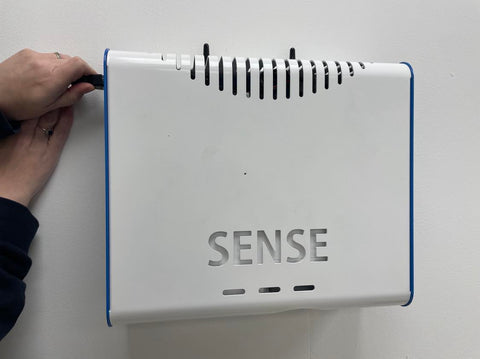
- Plug the unit in
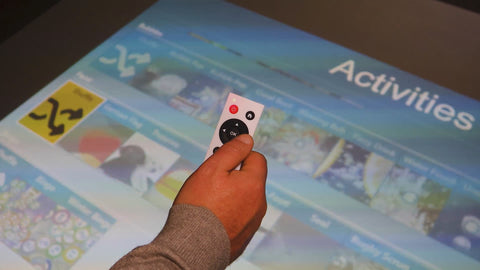
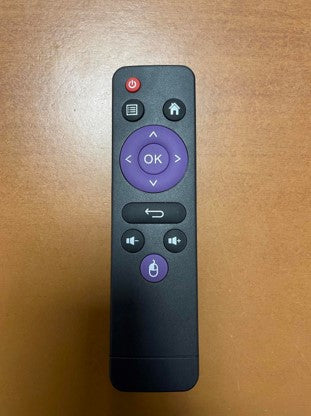
- Press the red button on the black remote
Software validation
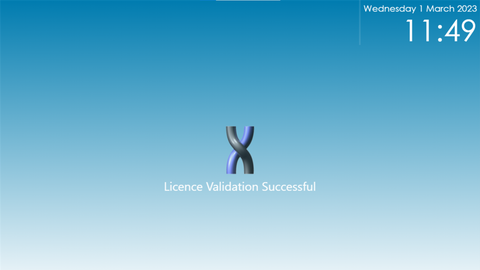
- The Imaginate software will attempt to validate the licence. If this fails your machine will need to be connected to the internet
- To manually connect to the internet you will need to exit out of the Imaginate software. Press the home button on the remote and choose the settings button.
- Select Networks and connect to your WI-FI
- If validation fails please call 01283 551551 During office hours
- Once the software has validated, the Imaginate software will begin to play interactive activities until you press the home button on the remote.
Settings
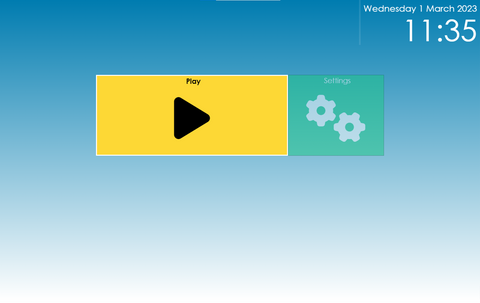
Settings- Access to the following sub menu
- Networks – Connecting to your WIFI
- Resize- Change the size of the image to suit the surface you are projecting onto
- Light Calibration- Select this option if you feel the interaction is slightly out or you have moved from a darker room to a lighter room
- Restart- Restart the machine and software
- Shutdown- When you have finished with the unit, turn of the machine here
Play
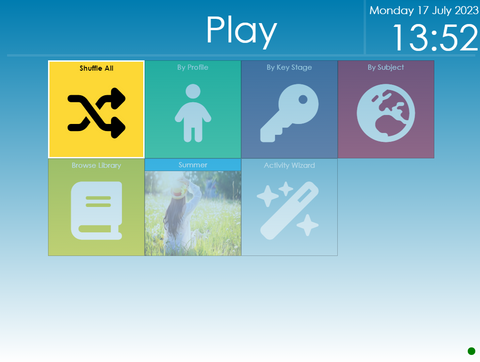
Play – Access the following sub menus
- Shuffle All- Select this option to randomly play all the activities available within Imaginate
- By Profile- Select the profile button to choose a specific profile, either a default one such as Christmas or one you have created via the Cloud Editor.
- Browse Library- Search through all the available activities and choose an individual activity to play
- Themed- Select the themed option to play the activities that have been created based on the current them i.e. winter, Easter etc.
Hidden Menu
- Imaginate can read aloud any text within the activities such as questions and within the story board
- To enable to text to speech press the button with the three lines and select the enable text to speech button
Switching off the unit
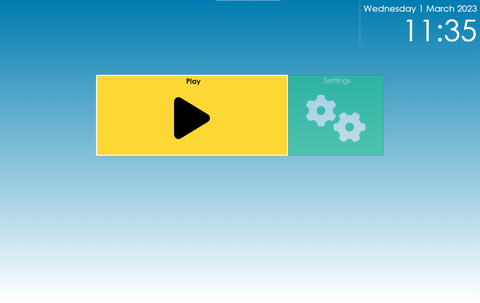
- Select the home button on the remote to go back to the main menu
- Select the settings icon
- choose shutdown
This is shutdown the software and the SENse Micro
The App
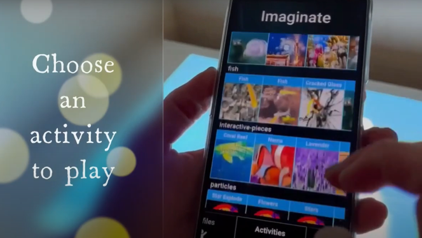
Included with your Imaginate subscription is access to the Imaginate App. When you log into the Cloud Editor there is a link to download or it can be downloaded from the Play store or App store. (Search for Imaginate Integrex Limited when in the store). The App allows you to instantly play activities or profiles directly from a phone or tablet.
- Login to the Cloud Editor (your user name and password are on the laminated sheet supplied with the unit), if you have misplaced these then please get in touch
- Enter the admin screen
- Press the i button next to the machine you want to link to the app
- A pop up box will appear and a link in the right top corner which says view link code
- Scan the QR code with your app on the tablet or phone
Cloud Editor
With your SENse Micro you will have been provided with a laminated sheet containing a username and a password for your Cloud Editor.
To access the Cloud Editor visit
http://www.touchthefuture.co.uk
Enter the user name and password provided on the laminated sheet
Once in the Cloud Editor you can create new activities and profiles as well as import your own images, videos and sounds to help with the content creation.