

Description
Integrex Imaginate Creation Suite Portal in Canada.
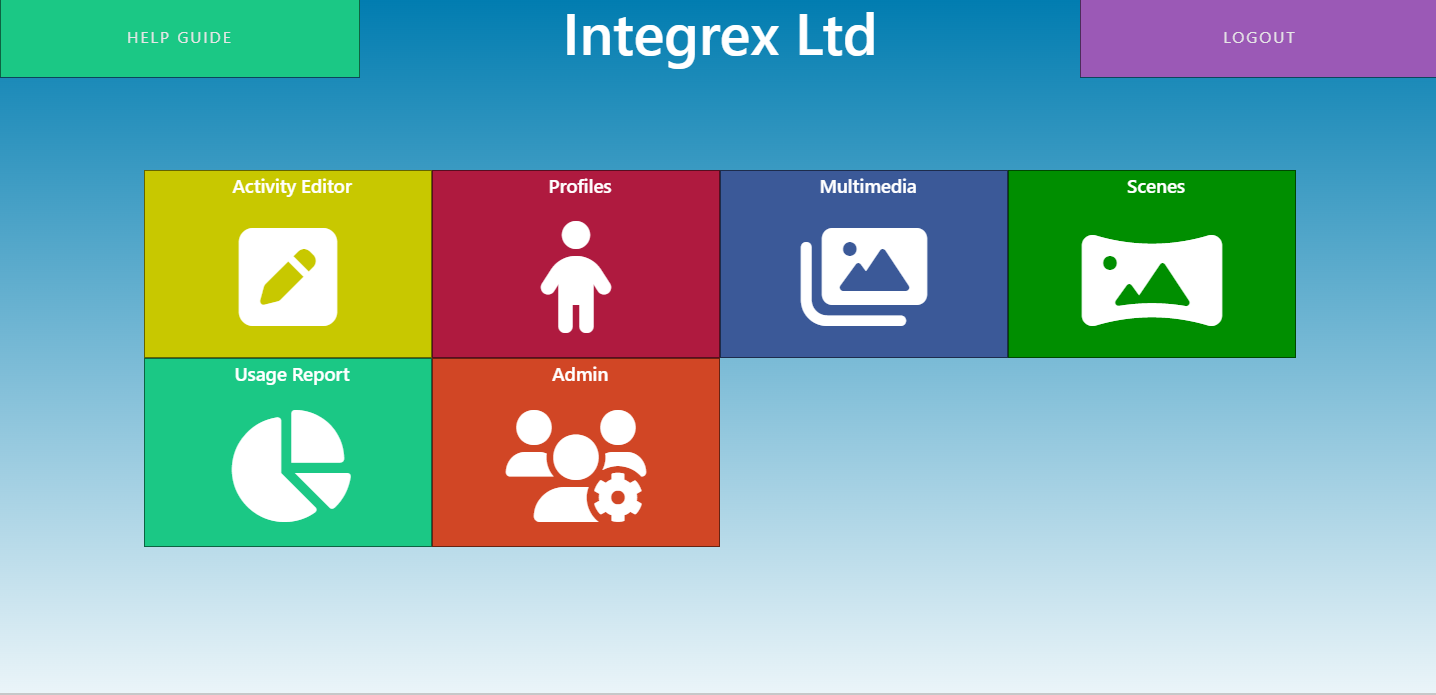
Enhance your user experience with the Imaginate Online Creation Portal by creating personalized, interactive educational and sensory activities. Moreover, choose from a variety of activity types to craft unique content and utilize the import media section to incorporate your own images, videos, and audio. Furthermore, tailor every interaction to your needs to ensure a truly customized experience whether that be educational or sensory based.
Import your own media
Importing your own media into the Imaginate Suite Software enables you to create custom interactive content that resonates with your audience. Furthermore, by incorporating videos, images, and audio files, you can design engaging activities that reflect specific learning objectives or branding requirements. This capability significantly enhances the versatility and appeal of your content, ensuring it meets diverse educational or promotional needs effectively.
New user access to the editor portal
The Imaginate Suite Software’s online editor portal offers a seamless solution for collaborative content creation. Furthermore, by granting access to other staff members or content creators, multiple users can work together in real-time, ensuring your interactive activities are consistently refined and updated. This collaborative approach not only enhances efficiency and creativity but also facilitates seamless teamwork in content development.
Profile creation
Creating custom profiles in the online editor portal allows you to schedule activities, ensuring they play as planned. Profiles update seamlessly within 10 to 15 minutes with an internet connection. Additionally, you can confidently create tailored profiles around topics, specific users, classes, or activity types for a personalised session. Use the profile creation feature to select sensory activities for those that need them or design a mixed playlist for a variety of needs. This versatility enhances the customization options available for optimizing user experience, empowering you to craft a purpose-driven experience that aligns seamlessly with your goals and preferences, turning the particle activity into a powerful tool for achieving your desired outcomes.
Profile creation for Immersive Rooms
Creating custom profiles in the online editor portal means you can schedule activities, ensuring they play as planned. Furthermore, profiles update seamlessly within 10 to 15 minutes with an internet connection. Additionally, confidently select profiles to control hardware in immersive rooms, such as wind, aroma, and lighting. This integrated control enhances the immersive experience by allowing precise adjustments to ambiance and sensory elements.
Creating a scene for the Immersive Room
Creating a scene in an immersive room with the Imaginate Online Editor Portal is a powerful way to design captivating environments. Additionally, this intuitive tool allows you to control activities on each surface, mixing different activities or creating seamless, edge-blended images or videos that wrap around the room. Consequently, this transforms the space into a fully immersive experience, engaging users with synchronized content. Whether for educational simulations, interactive exhibits, or dynamic presentations, the scene creator ensures every surface contributes to a cohesive narrative, thereby enhancing the overall experience.
Storyboard
Leverage storyboard mode for an engaging journey. Whether simulating a bustling shopping centre or recreating a cherished childhood book, storyboard mode allows you to craft immersive narratives. Furthermore, infuse your storylines with interactivity to transport yourself and your audience into captivating digital realms, blending nostalgia with cutting-edge experiences.
Please note that storyboard editing requires an Editor Pro license. Feel free to contact us for more details.
Watch the Video on how to create a storyboard - story
Watch the video on how to create a storyboard- Tour
Quiz
The editor allows you to design multiple-choice, true/false, and short-answer questions, providing a versatile platform for various types of assessments. You can also set the correct answers and configure instant feedback to guide users through the learning process.
Please note that quiz editing requires an Editor Pro license. Feel free to contact us for more details.